Amazon-Daten direkt im Agenten.
Reviews, Keywords, Sales Estimates über eine API.
Bringen Sie Amazon-Wahrheit in Codex, Claude Code, Cursor oder eigene Workflows.
✓ 1.000 kostenlose Calls/Monat✓ Danach pro Call zahlen✓ Kein Setup-Aufwand
Was Sie erhalten
Ein Datensatz. Drei Oberflächen.
Reviews, Keywords und Sales-Daten so zugänglich, wie Ihr Stack gebaut ist.
Reviews API
- ✓Voller Review-Korpus für jede ASIN
- ✓Sterne, Sentiment und Datum
- ✓Bulk Fetch, JSON Response
Keywords & Sales
- ✓Suchvolumen und Sales Estimates
- ✓Wettbewerbs-BSR und Preistrends
- ✓Strukturiertes JSON zum Speichern
MCP Server
- ✓Ein-Zeilen-Konfig für Codex / Claude Code
- ✓ChatGPT Plugin Support
- ✓Kein Backend, läuft lokal
Quick Start
Integration wählen
REST für jeden Stack. Python SDK für Datenpipelines. MCP Config für AI-native Tools.
curl https://api.voc.ai/v1/reviews?asin=B08N5WRWNW \
  -H "Authorization: Bearer YOUR_KEY"
MCP setup
Connect AI Clients
Connect VOC Open API to Codex and Claude. Choose the fastest setup method for your workflow.
What your AI can do after connecting
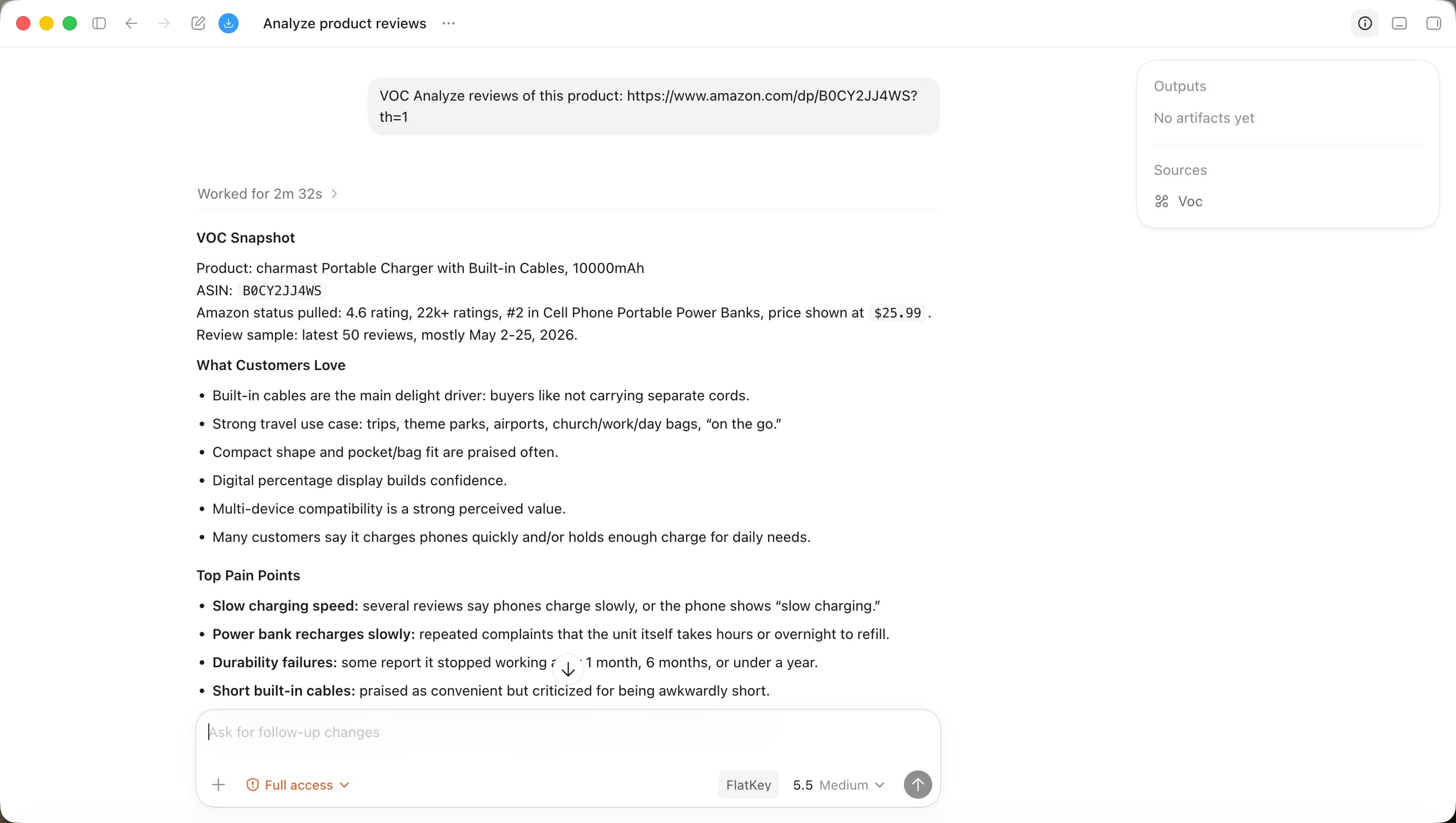
Turn Amazon review data into a working report.
Once VOC Open API is connected, your AI assistant can call review-analysis tools, inspect ASIN data, summarize customer pain points, and turn VOC data into actionable reports.
Review corpus
2B+
Product coverage
500M+
Market signals
Daily
AI outputs
Instant
API key format
voc_live_••••••••••••••••Key maskedAsk AI to set it up
Copy one prompt into Codex.
Please help me configure VOC Open API as an MCP server in Codex.

MCP server name:
voc-openapi

Endpoint:
https://open.voc.ai/mcp-server

Authentication header:
X-API-Key: voc_live_••••••••••••••••

Please:
1. Locate the correct Codex MCP setup location for my environment.
2. Add or update the voc-openapi MCP server.
3. Preserve any existing MCP servers.
4. Use this endpoint and header exactly.
5. Tell me how to restart Codex and verify that VOC tools are available.
Preise
Kostenlos starten. Bei Bedarf skalieren.
Keine monatliche Bindung. Nach dem Free-Kontingent zahlen Sie nur für Nutzung.
Bereit, Amazon-Daten einzubinden?
API key in 30 Sekunden erhalten. Keine Kreditkarte erforderlich.
API-Keys erhalten →