⚡ REST · Python SDK · MCP Server
Amazon データをエージェントへ接続。
レビュー、キーワード、売上推定を一つの API で。
Codex、Claude Code、Cursor、独自ワークフローへ Amazon の実データを数分で追加できます。
✓ 月 1,000 回無料✓ 以降は従量課金✓ 複雑なセットアップ不要
得られること
一つのデータセット。三つの利用面。
レビュー、キーワード、売上データを、スタックに合わせた方法で利用できます。
Reviews API
- ✓任意 ASIN のレビューコーパス
- ✓星評価、感情、日付
- ✓一括取得、JSON レスポンス
Keywords & Sales
- ✓検索量と売上推定
- ✓競合 BSR と価格トレンド
- ✓保存しやすい構造化 JSON
MCP Server
- ✓Codex / Claude Code の一行設定
- ✓ChatGPT Plugin 対応
- ✓バックエンド不要でローカル実行
クイックスタート
連携方法を選ぶ
REST は任意のスタックに、Python SDK はデータパイプラインに、MCP Config は AI ネイティブツールに適しています。
curl https://api.voc.ai/v1/reviews?asin=B08N5WRWNW \
  -H "Authorization: Bearer YOUR_KEY"
MCP setup
Connect AI Clients
Connect VOC Open API to Codex and Claude. Choose the fastest setup method for your workflow.
What your AI can do after connecting
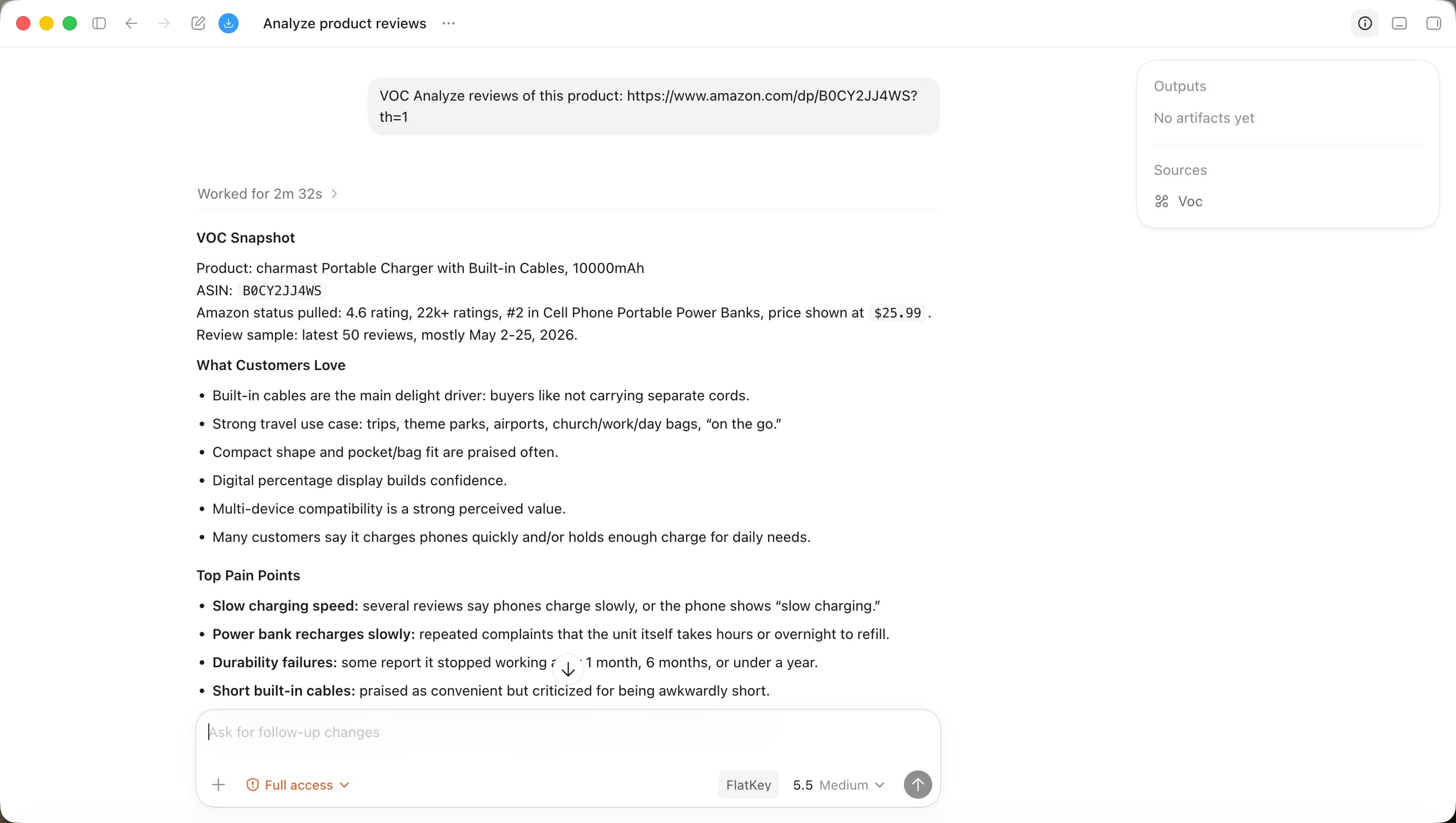
Turn Amazon review data into a working report.
Once VOC Open API is connected, your AI assistant can call review-analysis tools, inspect ASIN data, summarize customer pain points, and turn VOC data into actionable reports.
Analyze Amazon reviewsFind customer pain pointsInspect ASIN trendsGenerate VOC reports
Review corpus
2B+
Product coverage
500M+
Market signals
Daily
AI outputs
Instant
API key format
voc_live_••••••••••••••••Key maskedAsk AI to set it up
Copy one prompt into Codex.
Please help me configure VOC Open API as an MCP server in Codex.

MCP server name:
voc-openapi

Endpoint:
https://open.voc.ai/mcp-server

Authentication header:
X-API-Key: voc_live_••••••••••••••••

Please:
1. Locate the correct Codex MCP setup location for my environment.
2. Add or update the voc-openapi MCP server.
3. Preserve any existing MCP servers.
4. Use this endpoint and header exactly.
5. Tell me how to restart Codex and verify that VOC tools are available.
料金
無料で開始。必要な時に拡張。
月額コミットなし。無料枠の後は使った分だけ支払います。