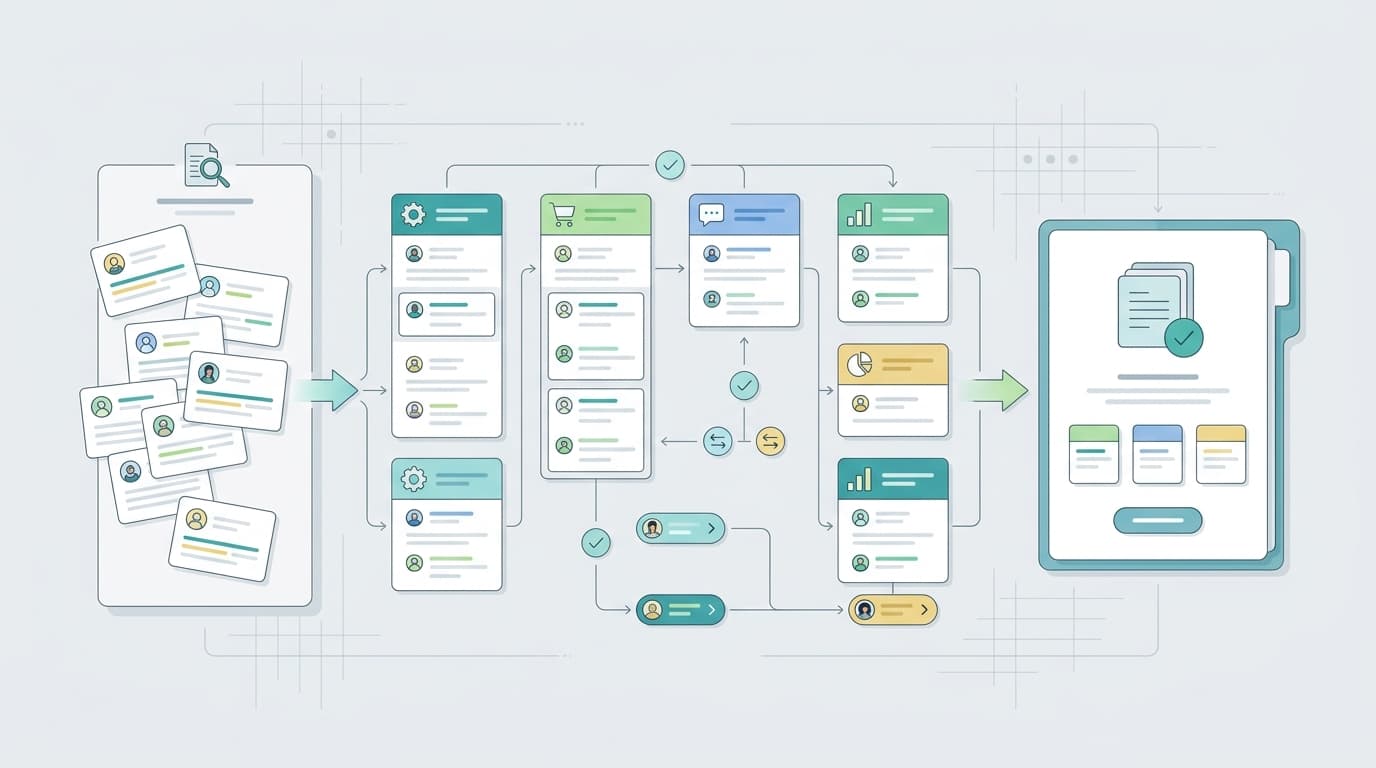
Amazon Comprehend can classify review text as positive, negative, neutral, or mixed. For Amazon sellers, that label is useful only when it stays connected to the original review context: ASIN, rating, date, marketplace, variant, and the business question behind the analysis.
This guide shows a practical workflow for using Amazon Comprehend sentiment analysis on product reviews. It also explains where VOC AI can fit when sellers want Amazon-specific review themes, competitor feedback, and repeatable reporting without building every layer themselves.
What Amazon Comprehend Sentiment Analysis Does
Amazon Comprehend is an AWS natural language processing service. The official Amazon Comprehend sentiment documentation explains that sentiment analysis returns four labels: positive, negative, neutral, and mixed.
The DetectSentiment API returns a dominant label plus confidence scores for each sentiment class. Those scores help because product reviews often contain more than one idea.
For example:
“The stand looks great and feels sturdy, but the screws were missing.”
A seller should not treat that as one simple emotion. The product design, material quality, and missing-parts issue need to be separated.
Seller Workflow Overview
Step | Goal | Output |
Define the question | Keep the project tied to a decision | Use case and ASIN scope |
Prepare review text | Preserve context before analysis | Clean review dataset |
Run sentiment analysis | Add labels and scores | Sentiment fields |
Add themes | Explain what the sentiment is about | Issue groups |
Compare with ratings | Catch mismatches | Better prioritization |
Check examples | Validate the finding | Evidence-backed decision |
Route actions | Assign ownership | Product, listing, support, or operations task |
Step 1: Define the Review Question
Start with the decision you need to make.
Good questions include:
- Which product issues are driving recent negative reviews?
- Which listing claims are creating mismatched expectations?
- Which variants receive worse feedback?
- Which competitor complaints reveal product gaps?
- Which support questions appear repeatedly after purchase?
Avoid starting with “let’s analyze all reviews.” That usually creates a broad dashboard without a clear owner.
Before calling an API, define the marketplace, ASINs, date range, review source, refresh cadence, and owner of the next action.
Step 2: Prepare Clean Review Text
Amazon Comprehend analyzes text, but the surrounding fields make the result useful. Keep the ASIN, marketplace, review date, star rating, variant, review title, review body, source ID or URL, and language.
Check AWS’s supported languages documentation before building multilingual workflows. Avoid mixing languages in one batch, and keep the raw review text available for audit.
Step 3: Run Sentiment Analysis
Run sentiment analysis and store the returned label and confidence scores as new fields. Do not replace the original review with the sentiment label.
For larger datasets, AWS supports batch and asynchronous jobs. The exact setup depends on your architecture, data volume, and refresh needs.
If your team wants sentiment insight without maintaining an AWS pipeline, VOC AI’s sentiment analysis can help organize Amazon review language around buyer pain points, product strengths, and recurring complaint themes.
Step 4: Add Review Themes
Themes explain the reason behind the sentiment.
Useful Amazon review themes include durability, packaging, size or fit, setup, instructions, battery life, material quality, shipping damage, missing parts, customer support, value for money, and compatibility.
Theme tagging turns “negative” into something a team can act on. “Negative packaging feedback for ASIN B after March” is much more useful than “negative sentiment increased.”
Amazon Comprehend also offers targeted sentiment for English documents, which can help identify sentiment toward specific entities or attributes. That matters when one review praises one feature and criticizes another.
Step 5: Compare Sentiment With Star Ratings
Ratings and sentiment do not always match.
A five-star review can include a useful complaint: “Love the product, but the packaging was hard to open.”
A three-star review can include strong positive language: “Great quality, but too small for my use.”
A one-star review may be about shipping rather than product quality.
This check prevents overreaction. It also helps sellers find useful feedback hidden inside otherwise positive reviews.
Step 6: Review Examples Manually
Before changing product specs, listing claims, or support policies, inspect a small set of representative reviews.
Manual review is especially important when the theme affects safety, compliance, product claims, or roadmap decisions. It is also helpful when wording is ambiguous. For example, “cheap” can mean affordable or poor quality depending on the sentence.
The Stanford Sentiment Treebank paper in the ACL Anthology is a useful reminder that sentiment depends on composition and context, not just positive or negative words.
Step 7: Route Outputs Into Seller Actions
A useful review workflow ends with ownership.
Durability complaints may go to the product team. Size confusion may go to the listing team. Missing-part complaints may go to operations. Setup questions may go to support. Competitor praise for a feature may go to product or marketing.
If the team wants this type of Amazon-specific workflow without maintaining a custom NLP pipeline, VOC AI’s Amazon review analysis guide shows how review themes, sentiment, and buyer language can be used for seller decisions.
Build With Amazon Comprehend or Use a Review Intelligence Layer?
Use Amazon Comprehend when your team wants to build and control the NLP workflow. It is a good fit for developers who already have a data pipeline, storage model, permissions process, and dashboard plan.
Use a review intelligence layer when the team mainly needs seller-ready outputs: recurring complaint themes, buyer language, competitor comparison, and monitoring. In that case, VOC AI’s negative review monitoring and Review Analysis API are relevant next steps to evaluate.
AWS’s guidance on capturing and analyzing unstructured customer feedback is also useful if your team plans to build a broader feedback architecture.
Quality Checks Before You Trust the Output
Before using sentiment results in a product, listing, or support decision, run a short quality check.
- Sample a few reviews from each major theme. Make sure the sentiment label matches the actual meaning of the review, not just a few emotional words.
- Check whether the result changes by rating, marketplace, or variant. A theme that appears only in one color, bundle, or region may need a different action than a category-wide complaint.
- Separate product feedback from fulfillment, packaging, and support issues. A negative review is not always a product defect.
- Document what changed because of the analysis. If a theme leads to a listing update, product ticket, support article, or monitoring alert, record the action and review it again later.
What to Track Afterward
Track whether review analysis changes actual seller work:
- Theme frequency by week or month
- Negative sentiment share by theme
- Rating mix by recency
- Review volume by variant
- Listing fields updated
- Product issues opened
- Support content updated
- Action owner and status
These metrics help the workflow stay practical instead of becoming another reporting exercise.
Final Takeaway
Amazon Comprehend can add useful sentiment labels and scores to review text. Sellers get the most value when those outputs are connected to themes, ratings, examples, and owners.
If your team wants full control, build the workflow with AWS. If the goal is faster Amazon review intelligence for product, listing, competitor, and monitoring decisions, evaluate a seller-focused layer such as VOC AI.
FAQ
What is the first step in using Amazon Comprehend for review sentiment analysis?
Define the seller decision first. Decide whether the workflow is for product defects, listing mismatch, variant issues, competitor gaps, support questions, or review monitoring.
Which review fields should I keep before running sentiment analysis?
Keep ASIN, marketplace, review date, star rating, variant, review title, review body, source ID or URL, and language.
Can Amazon Comprehend analyze multilingual reviews?
Yes, Amazon Comprehend supports several languages for sentiment analysis. Check the current AWS supported languages documentation before building a multilingual workflow.
Is sentiment analysis enough for Amazon review analysis?
No. Sentiment analysis gives labels and scores, but sellers still need themes, ratings, examples, and action owners.
How often should sellers repeat the workflow?
Repeat it after product launches, listing edits, review spikes, ranking changes, variant updates, and major competitor movement. For important ASINs, monthly review is a practical baseline.
Can this workflow be automated?
Parts can be automated, including text cleaning, sentiment scoring, theme grouping, dashboards, and alerts. Humans should still review claims, ambiguous findings, and major product decisions.