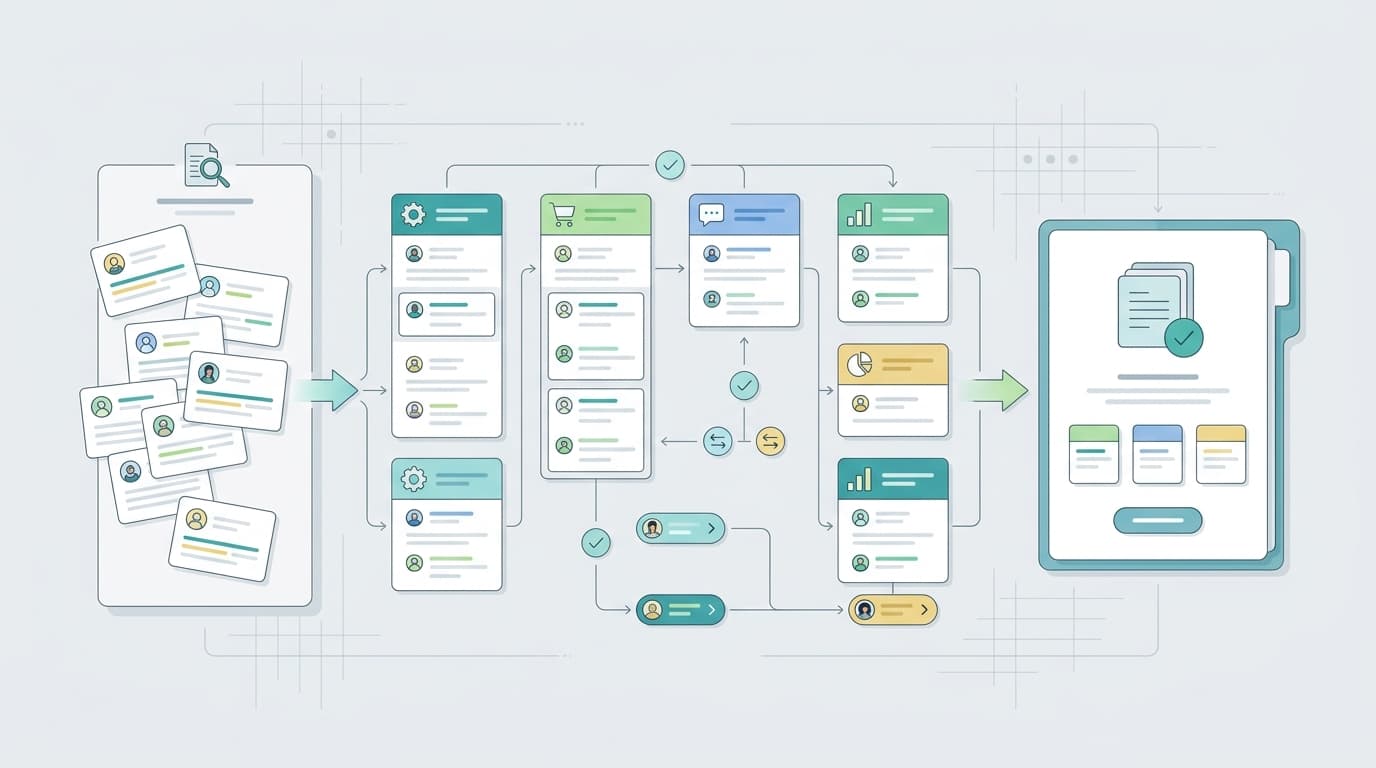
In the competitive landscape of Amazon, managing negative reviews is often the ultimate pain point for sellers. Traditionally, operations teams have been stuck in a reactive cycle: relying on manual checks that are not only labor-intensive but also prone to missing the "golden window" for damage control.
To solve this, VOC AI has officially launched its advanced Negative Review Monitoring feature. Building upon our core "Review Compliance Analysis," we have engineered a full-cycle automated closed-loop—integrating real-time monitoring, AI identification, root cause analysis, and reporting. This update empowers sellers to shift from "putting out fires" to "strategic early warning."
How to Set Up Your Monitoring Report
Module Access
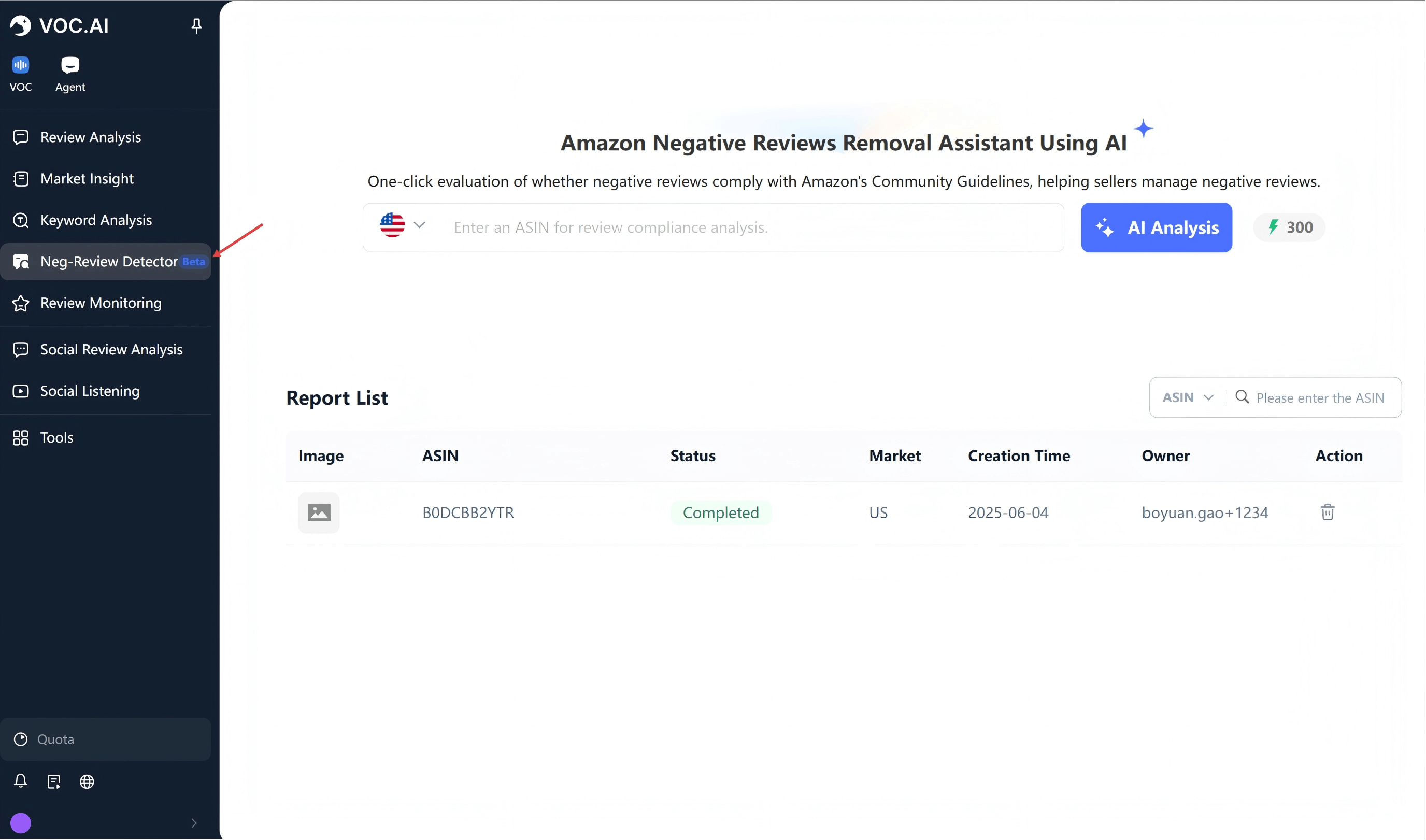
Click on "Neg-Review Detector" in the sidebar to enter the feature page.
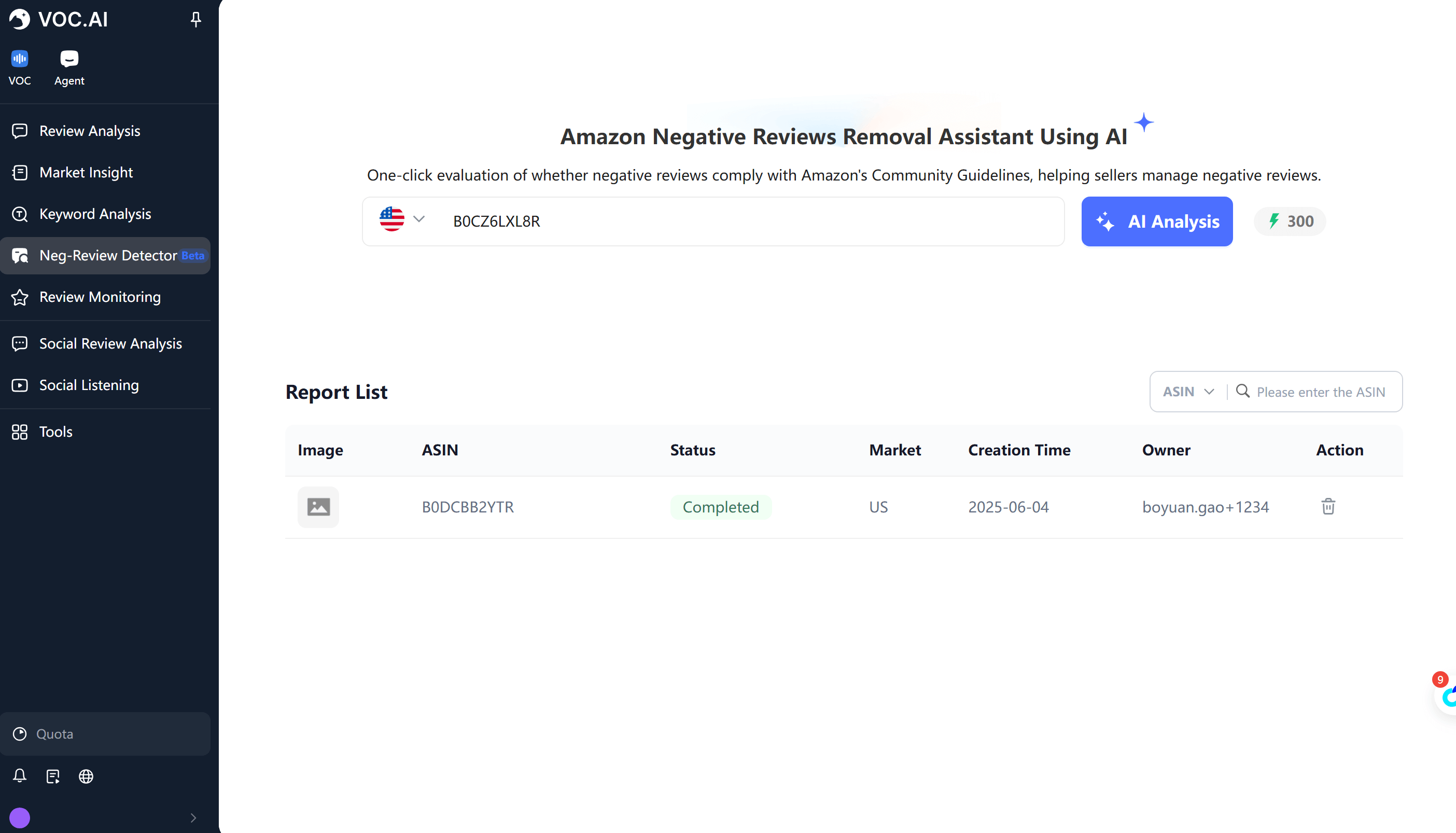
Start Your Analysis
Enter the ASIN into the search box and click [AI Analysis].
Note: The upcoming version will support batch analysis for multiple ASINs, enabling daily monitoring and negative review analysis for several products within a single reprot.
View Negative Review Details
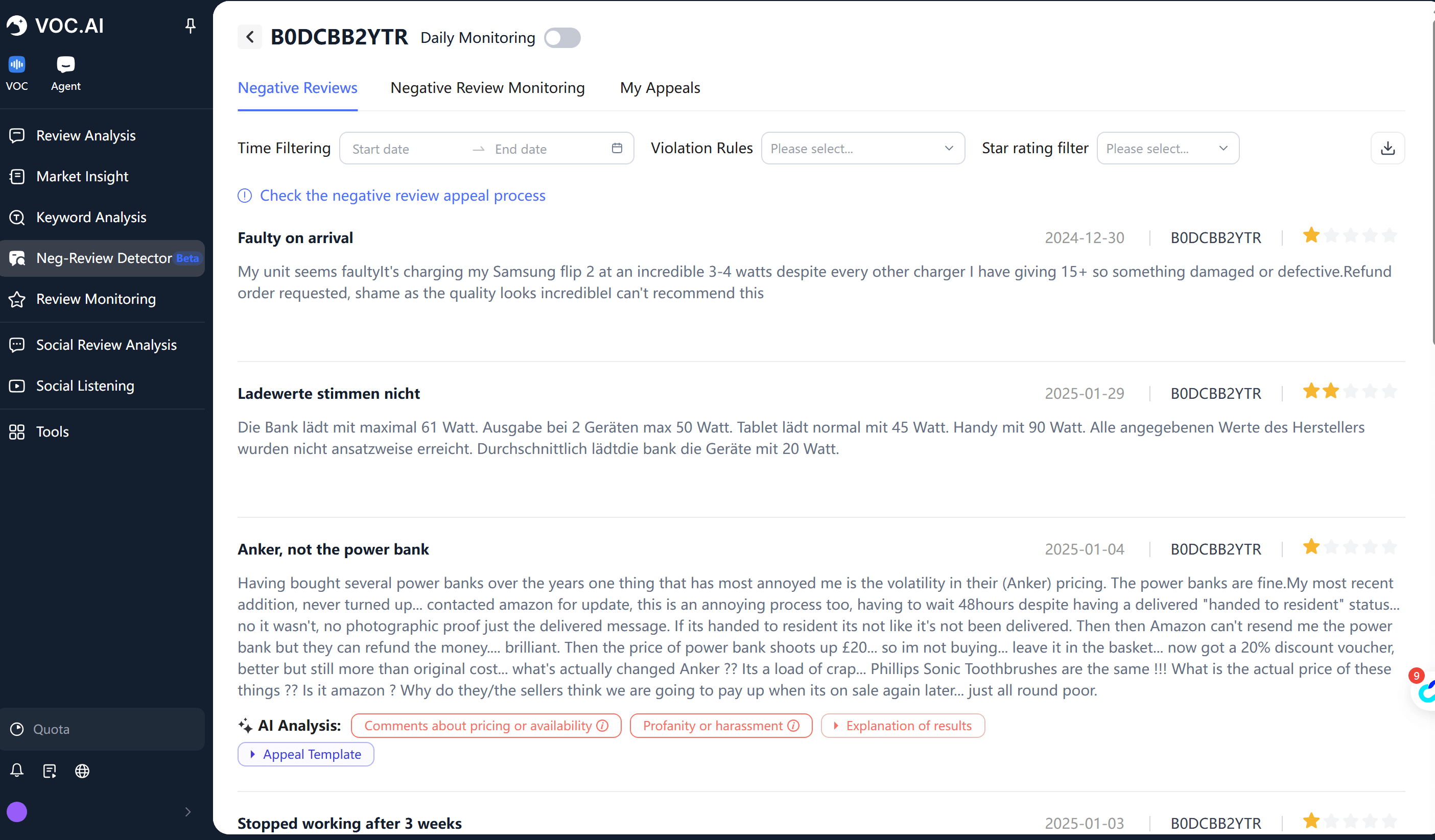
Once the analysis is complete, enter the Negative Review Analysis page. Under the "Negative Reviews" module, you can view all 1 to 3-star reviews for the analyzed ASIN from the past two years.
How to Report Non-Compliant Negative Reviews
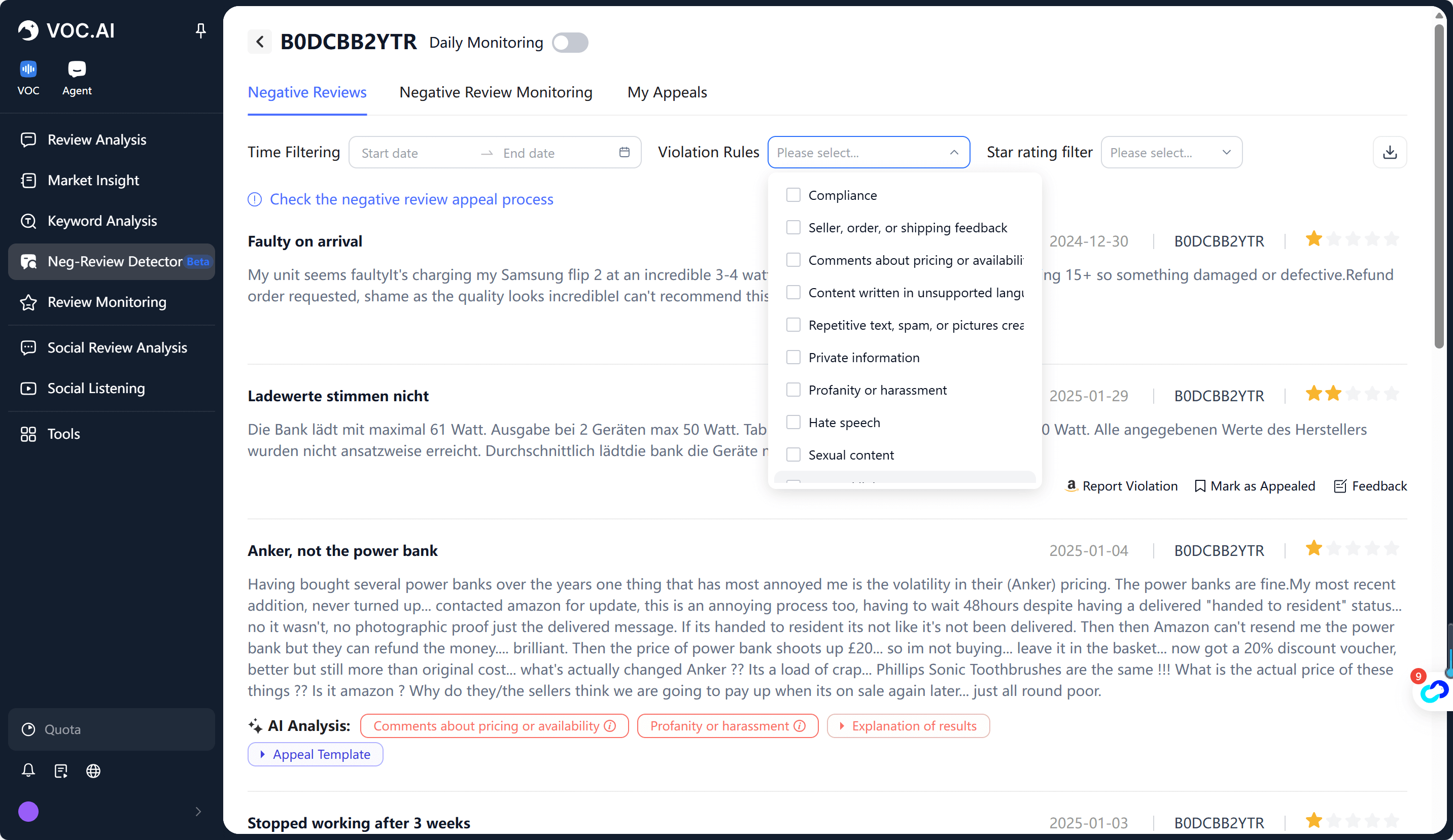
Filter Non-Compliant Reviews
Navigate to the Violation Rules filter menu.
- "Compliance" indicates a standard customer complaint regarding the product.
- Other Tags represent potential violation types identified by VOC AI's AI, based on Amazon's official Community Guidelines.
Select these specific violation tags (excluding "Compliance") to filter and isolate the reviews that may be eligible for removal.
Appeal the Violation
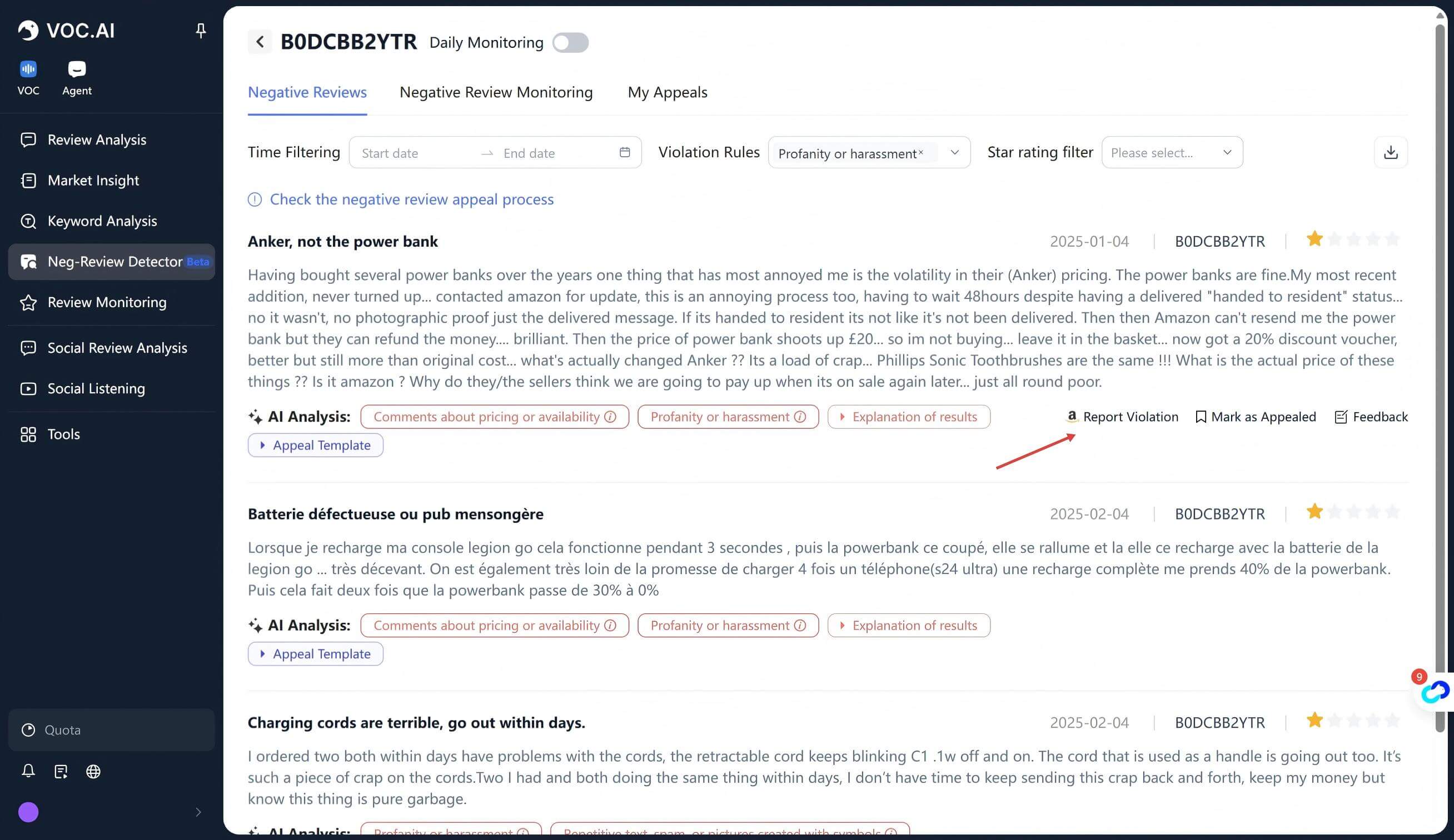
After filtering for the violation types:
- Hover your mouse over the target review.
- On the right side of the review, you will see three options: "Report Violation", "Mark as Appealed", and "Feedback".
- Click "Report Violation" to be redirected to the appeal page.
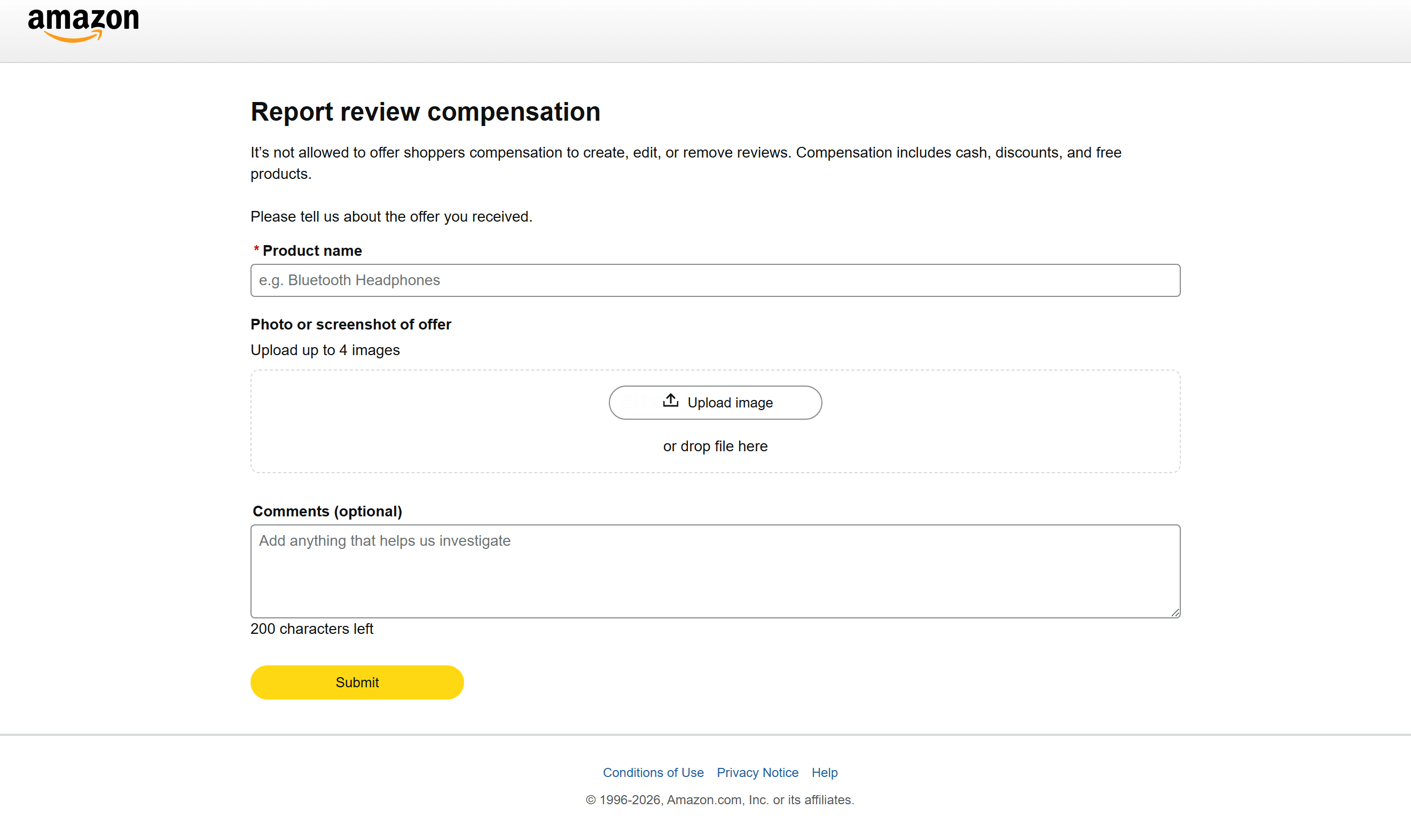
After being redirected, simply log in with any Amazon Buyer account to access the violation reporting page.
Note: Although this page is titled "Report review compensation" and states, "It’s not allowed to offer shoppers compensation to create, edit, or remove reviews. Compensation includes cash, discounts, and free products," experience with Amazon store operations suggests that this page can also be used to appeal violation types mentioned in the Amazon Community Guidelines. We recommend using a standard buyer account to log in and submit the appeal.
VOC AI has pinpointed the exact text within the review that constitutes a violation, which serves as crucial evidence for your appeal.
Navigate to the Report Review Compensation page and fill in the following details:
- Product Name
- Screenshot of the original review
- Description of the appeal
How to Check Appeal Status
Mark as "Appealed"
VOC AI will track the appeal status of this review for the next 10 days. After completing the appeal, hover your mouse over the original review text and click [Mark as Appealed].

Click "My Appeals" to View Status
On this page, you can view the removal status of all reviews you have marked as appealed. This includes metrics for Total Appeals, In Progress, Removed Successfully, and Removal Failed.

How to Enable Daily Negative Review Monitoring
Enable Daily Monitoring
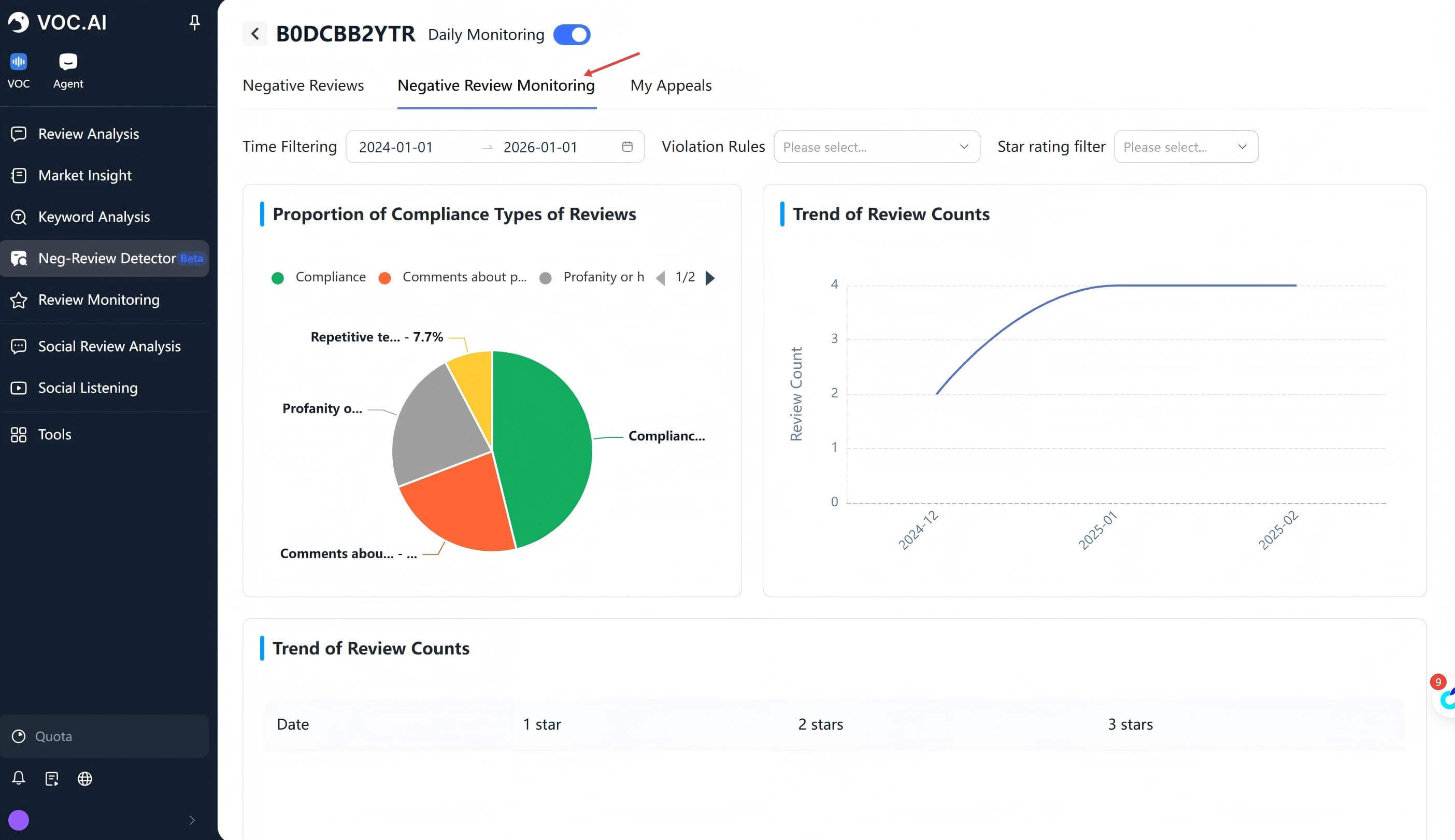
Click [Daily Monitoring] in the top-left corner of the page to activate daily negative review monitoring. Once enabled, VOC.ai will schedule daily crawls to detect new negative reviews and automatically analyze them for violations.

View Daily Monitoring Report
Click [Negative Review Monitoring] to view the full report of all negative reviews for the product. Once Daily Monitoring is enabled, the "Trend of Counts" list on this page will display the daily volume of new negative reviews starting from the date the report was created.
At its core, success on Amazon is a race for efficiency. As platform regulations tighten and competition heats up, sellers who respond faster, analyze more accurately, and execute with precision will gain a significant competitive advantage.
The launch of VOC AI's Negative Review Monitoring is more than just a tool upgrade; it represents a fundamental shift in operational philosophy. By automating repetitive tasks through technology, we empower operations teams to shift their focus back to where it matters most: strategic decision-making and innovation.
What's Next? Looking ahead, we will soon roll out Batch ASIN Monitoring, allowing you to track multiple products simultaneously and boost efficiency across your entire portfolio.
Let's get started with VOC AI!