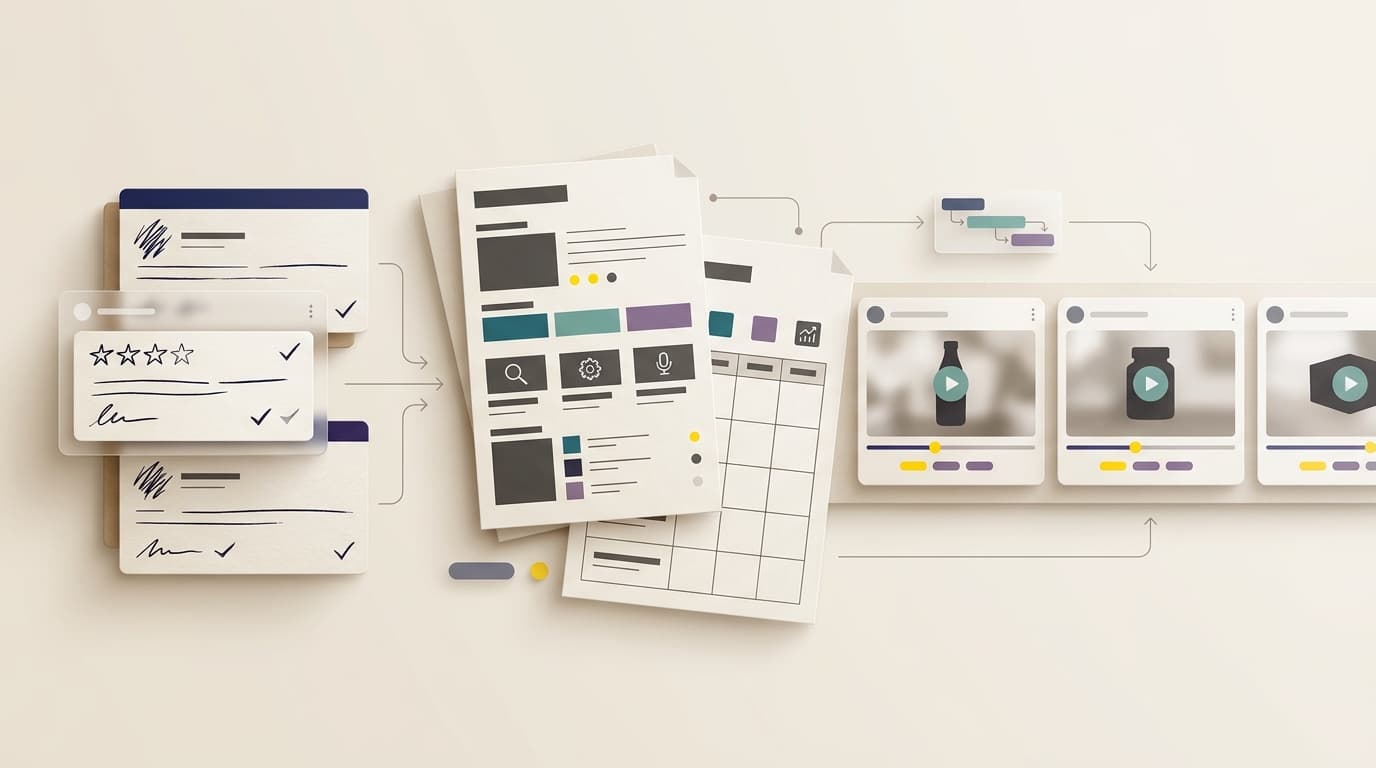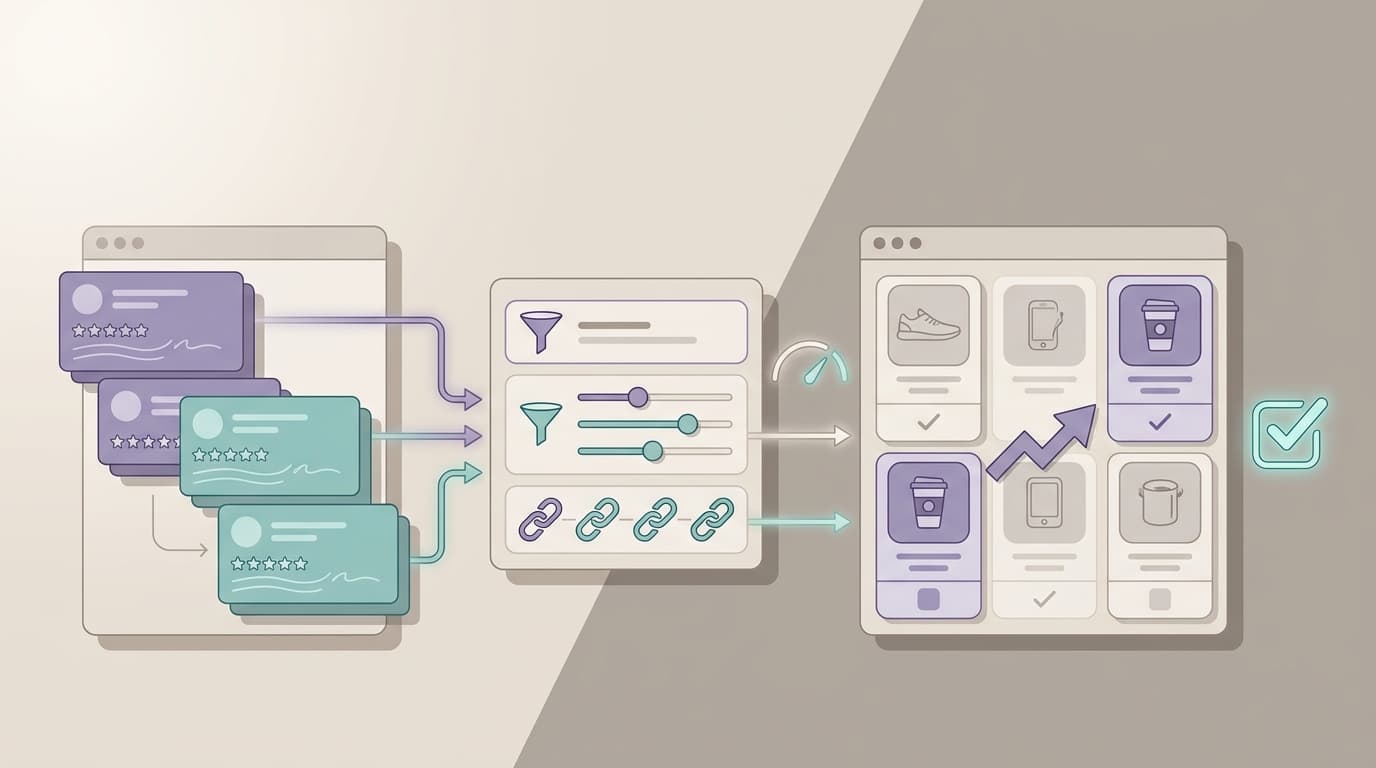
Updated September 9, 2026.
The best review sentiment analysis workflow does not start with a dashboard. It starts with a decision: what should the team fix, rewrite, monitor, or escalate after reading the reviews?
That distinction matters because review sentiment analysis can easily stop at positive, negative, and neutral counts. Those labels are useful, but they are not enough for product, support, ecommerce, or research teams. A review can be positive overall and still contain a serious complaint about setup. A three-star review can be about shipping, not product quality. A competitor can look stronger in average rating while losing buyers on one theme your team can attack.
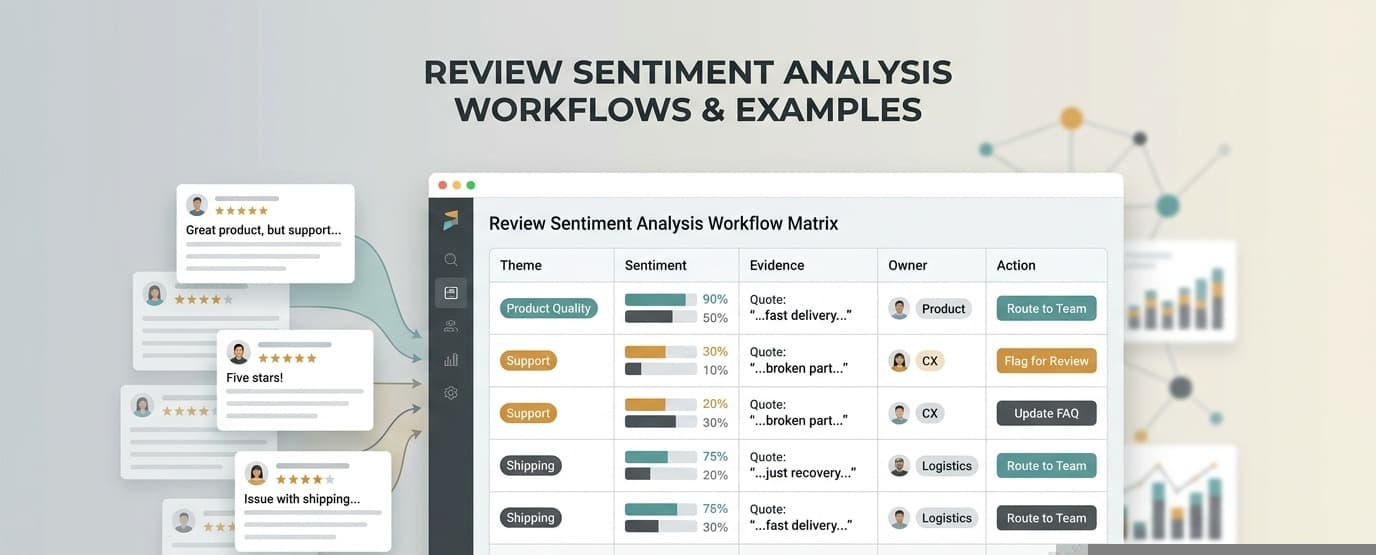
This guide gives you practical review sentiment analysis workflows and examples for teams evaluating tools, building an operating process, or replacing manual review reading with a repeatable evidence trail.
If you are still comparing broad review-analysis software categories, start with the AI review analysis comparison. If you already have a workflow and need to measure whether it is working, use the AI review analysis metrics guide after this page.
What review sentiment analysis should include
Basic sentiment analysis classifies text by emotional direction. Amazon Comprehend, for example, documents positive, negative, mixed, and neutral sentiment values. Google Cloud Natural Language frames sentiment through score and magnitude. Azure Language separates sentiment labels from opinion mining, which links sentiment to specific aspects of the text.
For customer reviews, the aspect layer is where the business value usually appears. The useful question is not only “Was the review negative?” The useful question is “Which exact product, listing, shipping, support, or expectation theme caused the negative sentiment, and who should act on it?”
Use this as the operating definition:
| Layer | What it answers | Weak output | Strong output |
|---|---|---|---|
| Overall sentiment | How does the review feel overall? | “Negative” | “Negative, driven by setup frustration” |
| Theme sentiment | Which feature, complaint, or experience caused that emotion? | “Quality issue” | “Battery drains after two hours of outdoor use” |
| Evidence | Can the team inspect the source review? | No review examples | Review date, rating, product, snippet, and source link |
| Segment | Who is affected? | Everyone pooled together | New buyers, repeat buyers, variant A, competitor B |
| Severity | How damaging is the issue? | Frequency only | Frequency plus rating, recency, refund risk, and buyer friction |
| Counterevidence | Where are customers split? | One confident summary | Positive and negative evidence kept side by side |
| Action | What should happen next? | Dashboard only | Product ticket, listing rewrite, support macro, alert, or research brief |
VOC.AI’s Sentiment Analysis page positions sentiment as a way to understand the emotion behind reviews, ratings, and product feedback. VOC.AI’s Voice of Customer Analysis page adds the product workflow: turn customer reviews into product direction, buyer language, and market-ready decisions.
Choose the right review sentiment analysis workflow
Do not run one generic review sentiment analysis workflow for every question. Pick the workflow that matches the decision.
| Workflow | Use it when | Primary output | Best owner |
|---|---|---|---|
| Defect triage | Negative reviews are rising or ratings are slipping | Ranked defect themes with evidence and severity | Product, operations, quality |
| Listing rewrite | Buyers expected one thing and received another | Expectation-mismatch table and buyer-language snippets | Ecommerce, marketplace, growth |
| Competitor comparison | You need to know why buyers prefer or reject alternatives | Like-for-like theme sentiment matrix | Product marketing, product, strategy |
| Support-to-product handoff | Support keeps seeing the same review complaints | Handoff packet with owner, macro, ticket, and monitoring rule | Support, CX, product |
| Sentiment velocity monitoring | You changed packaging, supplier, listing, onboarding, or support | Weekly trend by theme with source examples | Growth, support ops, product ops |
| API-backed workflow | Review intelligence must feed an internal dashboard, agent, or recurring report | Structured output contract with review IDs and owner fields | Data, engineering, ops |
| Research synthesis | You need to understand why a cohort feels a certain way before roadmap planning | Decision memo with themes, contradictions, and quote evidence | Product, UX research, founders |
The rest of this guide walks through each workflow with examples.
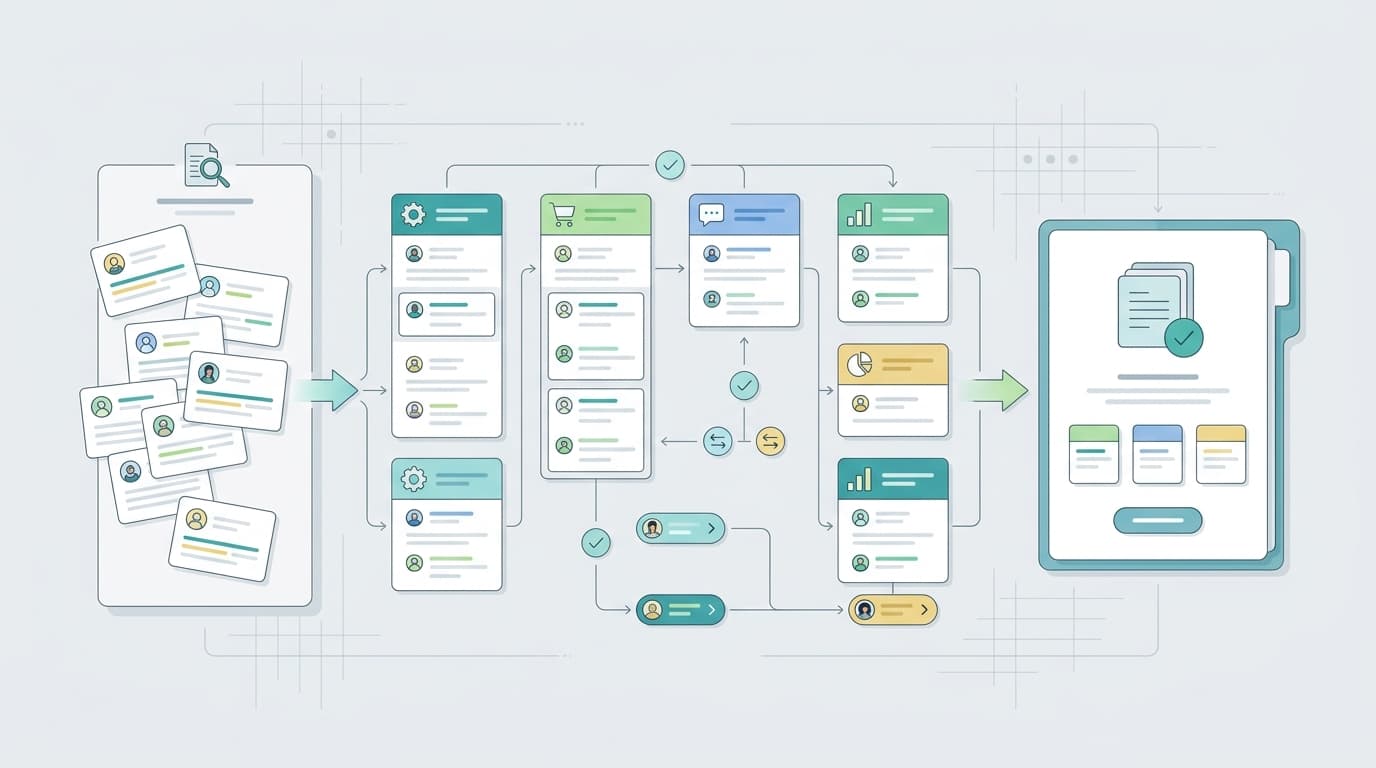
The core review sentiment analysis process
Every workflow should follow the same backbone.
- Write the decision sentence. Example: “We are analyzing the last 90 days of one-star to three-star reviews so the product owner can decide which defect deserves the next sprint.”
- Lock the cohort. Define product, SKU, ASIN, marketplace, competitor set, date range, language, rating range, variant rules, and review-source rules.
- Separate sentiment from theme. Tag the emotional direction, then tag the reason behind it.
- Preserve source evidence. Keep enough review context to inspect the finding later.
- Score severity and recency. Do not rank only by mention count.
- Preserve contradictions. Show where customers are split instead of flattening the answer.
- Route the output. Every accepted finding needs an owner, next step, and decision deadline.
- Recheck the next cohort. A review sentiment analysis workflow is only useful if the team can see whether the action changed later reviews.
The mistake to avoid is starting with “analyze all reviews.” That usually creates a broad summary with no decision owner. Review sentiment analysis works better when the team starts with a narrower question.
Example 1: Product defect triage
Use this workflow when negative reviews are increasing, ratings are slipping, or support hears the same product complaint repeatedly.
Decision sentence: “We need to identify the top defect themes in recent negative reviews so product and operations can choose the next fix.”
Cohort: Last 60 to 120 days, one-star to three-star reviews, current product version, current packaging, primary marketplace, and active variants only.
Analysis fields:
| Field | Example |
|---|---|
| Sentiment | Negative |
| Theme | Lid leaks when packed sideways |
| Severity | 3: product defect or expectation mismatch |
| Recency | Rising in the last 30 days |
| Evidence | Five review snippets with rating, date, and variant |
| Counterevidence | Five-star reviews mention durability only for desk use |
| Owner | Product or operations |
| Action | Inspect packaging change, add defect ticket, monitor next cohort |
This is review sentiment analysis as triage, not reporting. The goal is not to prove that customers are unhappy. The goal is to isolate the complaint pattern that can be inspected and fixed.
Example 2: Listing and conversion rewrite
Use this workflow when reviews show that buyers expected one thing and received another.
Decision sentence: “We need to find expectation mismatches in reviews so the listing owner can rewrite title, bullets, images, comparison tables, or FAQs.”
Look for these sentiment patterns:
| Pattern | What it means | Listing action |
|---|---|---|
| Negative sentiment around size | Buyers expected larger or smaller dimensions | Show dimensions earlier, add comparison photo, rewrite size language |
| Mixed sentiment around setup | Some buyers succeed, first-time buyers struggle | Add setup visual, improve first-use copy, update FAQ |
| Positive sentiment around use case | Buyers repeatedly praise one context | Move that use case into bullets, images, and ad copy |
| Neutral sentiment around feature | Customers mention the feature but do not value it | De-emphasize it or explain the benefit more clearly |
| Negative sentiment around packaging | The product may work, but delivery creates disappointment | Clarify packaging, inspect fulfillment, or add expectation-setting images |
This is where review sentiment analysis becomes more useful than a keyword-frequency export. The question is not only which words appear. The question is which emotion those words create and whether the listing set the right expectation.
For ecommerce teams, VOC.AI positions review language as a source of product and listing decisions rather than a vanity chart. A practical rule follows: never change listing copy from sentiment alone. Change it from sentiment plus exact buyer language plus source evidence.
Example 3: Competitor review comparison
Use this workflow when you need to understand why customers prefer or reject a competing product.
Decision sentence: “We need to compare sentiment by theme across three competitor products so the product and marketing teams can choose the strongest gap.”
Build a like-for-like matrix:
| Theme | Your product sentiment | Competitor A sentiment | Competitor B sentiment | Decision |
|---|---|---|---|---|
| Durability | Mixed | Positive | Negative | Inspect materials and claims |
| Setup | Negative | Neutral | Positive | Improve onboarding and listing visuals |
| Travel use | Positive | Mixed | Neutral | Amplify as a positioning angle |
| Support response | Neutral | Negative | Mixed | Monitor, but do not prioritize yet |
| Accessories | Negative | Mixed | Negative | Consider bundle, add-on, or clearer compatibility copy |
The constraint is cohort control. Do not compare your newest reviews with a competitor’s five-year-old review set. Do not mix different marketplaces, variants, or product generations unless that is the explicit question.
This is also a good place to use the customer feedback analysis tools evaluation framework, because tool quality depends on whether it can preserve cohorts and evidence across sources.
Example 4: Support-to-product handoff
Use this workflow when customer service sees repeated review complaints that product, content, or operations teams need to own.
Decision sentence: “We need to convert recurring review sentiment into a support and product handoff that reduces repeated complaints.”
The output should not be a sentiment chart. It should be a handoff packet:
| Packet item | Why it matters |
|---|---|
| Theme | Names the complaint precisely |
| Sentiment direction | Shows whether the issue is frustration, hesitation, confusion, or praise |
| Review evidence | Lets the receiver inspect the claim |
| Affected cohort | Prevents overgeneralizing |
| Counterevidence | Keeps the team from overreacting to one loud theme |
| Suggested owner | Routes the issue |
| Next step | Turns the finding into work |
| Monitoring rule | Checks whether the action helped |
Example action: if negative reviews repeatedly mention confusing setup, support may update macros and help content while product rewrites onboarding instructions. Review sentiment analysis should show both the emotional signal and the workflow that absorbs it.
Example 5: Sentiment velocity monitoring
Use this workflow when the team needs to know whether a theme is getting better or worse after a change.
Decision sentence: “We need to monitor sentiment by theme after a launch, packaging change, supplier change, listing rewrite, or support update.”
Track:
- theme sentiment by week or month
- negative sentiment share for decision-critical themes
- new complaint emergence
- resolved complaint decline
- review volume behind the trend
- representative evidence for each movement
- action date, owner, and recheck date
Sentiment velocity is useful because absolute sentiment can hide movement. A product may still have mostly positive reviews while a new negative theme is rising. A product may still have mixed sentiment while a recent fix is starting to work.
A monthly deck is too slow for some issues. A weekly review is enough for many listing and support changes. A daily alert may be justified for high-risk themes such as safety, refund spikes, or account-impacting complaints.
Example 6: API-backed review sentiment analysis
Use this workflow when review sentiment analysis needs to feed a dashboard, agent, internal tool, or recurring analysis pipeline.
Decision sentence: “We need review sentiment analysis outputs that can be reused in our internal workflow, not copied manually from a dashboard.”
The Review Analysis API is the relevant VOC.AI route for this job because it describes programmatic access to review, keyword, sales, and listing data through API and MCP surfaces.
Define the output contract before implementation:
| Field | Purpose |
|---|---|
| review_id or source reference | Traceability |
| product, competitor, variant, market | Cohort control |
| sentiment label and confidence | Direction and uncertainty |
| theme | Decision context |
| severity | Prioritization |
| representative snippet | Evidence review |
| counterevidence | Disagreement review |
| owner category | Handoff |
| action recommendation | Workflow routing |
| run date and cohort date range | Reproducibility |
Do not automate final product, legal, safety, or compliance decisions from review sentiment analysis alone. Use the system to surface evidence and prioritize human review.
Example 7: Research synthesis for roadmap planning
Use this workflow when the team needs to decide whether a review theme belongs on the roadmap.
Decision sentence: “We need to know whether review sentiment around setup is a product problem, an education problem, or a mismatch created by the listing.”
The research memo should include:
| Section | What to include |
|---|---|
| Claim | One sentence that names the issue |
| Cohort | Products, dates, ratings, markets, and variants |
| Theme sentiment | Positive, negative, mixed, or neutral sentiment by theme |
| Mechanism | Why customers feel that way |
| Evidence | Representative source reviews |
| Counterevidence | Reviews that disagree or show the issue is segment-specific |
| Business impact | Conversion, retention, support, quality, or roadmap implication |
| Decision | Fix now, monitor, research further, reject, or assign elsewhere |
This keeps review sentiment analysis connected to a real product decision. It also prevents teams from treating every negative theme as a roadmap item.
Tool checklist: what to demand before you choose
Use the same cohort in every review sentiment analysis tool you test. Then score the output against the job you actually need.
| Evaluation check | Good sign | Red flag |
|---|---|---|
| Cohort control | You can define products, dates, ratings, variants, markets, and competitors | The tool pools everything without visible scope |
| Theme-level sentiment | Sentiment is attached to specific features, complaints, expectations, or use cases | Only document-level positive/negative labels |
| Evidence traceability | Findings point back to source reviews | Fluent summaries without proof |
| Contradiction handling | Opposing evidence stays visible | The output erases disagreement |
| Severity and recency | Prioritization accounts for impact and timing | Frequency is the only ranking method |
| Handoff | Findings map to product, support, listing, operations, or research owners | Analysis ends at a dashboard |
| Reuse | Exports, API, or workflow integrations are available | Results are trapped in screenshots |
| Cost fit | Repeated use fits the team’s operating rhythm | Every run requires heavy manual cleanup |
| Governance | The team can inspect evidence before acting | The system writes recommendations with no review step |
If you need to compare broader software categories, use the customer feedback analysis tools guide. If your team is measuring an existing workflow, use AI review analysis metrics.
A reusable review sentiment analysis template
Copy this structure into a spreadsheet, ticket, internal dashboard, or API output.
| Column | Required? | Example |
|---|---|---|
| Decision sentence | Yes | Decide whether setup complaints need a product fix or content fix |
| Cohort | Yes | Last 90 days, US marketplace, current variant, one-star to three-star |
| Theme | Yes | Setup instructions unclear |
| Sentiment | Yes | Negative, mixed, or positive |
| Severity | Yes | 1 to 3 based on friction, defect risk, refund risk, and rating impact |
| Recency | Yes | Rising, stable, declining, or new |
| Evidence snippets | Yes | Three to five representative reviews |
| Counterevidence | Yes | Reviews that show the issue is not universal |
| Owner | Yes | Product, listing, support, operations, research |
| Action | Yes | Rewrite FAQ, create ticket, inspect batch, monitor next cohort |
| Recheck date | Yes | Two to four weeks after action |
| Status | Yes | Accepted, rejected, monitoring, needs more evidence |
The template is intentionally simple. The hard part is not adding columns. The hard part is refusing to accept a finding until it has cohort, evidence, counterevidence, owner, and action.
A simple 30-day rollout plan
Use this plan when introducing review sentiment analysis to a team that has been reading reviews manually.
| Week | Work | Output |
|---|---|---|
| 1 | Pick one decision and lock one review cohort | Decision sentence and cohort manifest |
| 2 | Run theme-level review sentiment analysis | Theme table with source evidence |
| 3 | Review contradictions, severity, and owners | Accepted finding list and handoff packet |
| 4 | Monitor one action and compare the next cohort | Learning note and repeatable workflow |
Keep the first rollout narrow. One product, one competitor set, one launch, or one complaint theme is enough. The point is to prove that the workflow can produce a decision the team trusts.
Common mistakes
The most common failure is treating review sentiment analysis as a charting exercise. A positive/negative/neutral chart may be a useful starting point, but it does not tell a team what to do.
Other mistakes are just as expensive:
- mixing old and new product versions in the same cohort
- comparing competitors without matching market, date range, or variant
- ranking themes only by frequency
- hiding review snippets because the summary sounds confident
- removing contradiction because it makes the report cleaner
- sending every issue to product when support, listing, or operations should own it
- buying a tool from a polished demo without testing the same evidence against your own decision
The best review sentiment analysis process is narrow enough to be trusted and structured enough to repeat.
FAQ
What is review sentiment analysis?
Review sentiment analysis is the process of classifying customer review emotion and connecting it to review themes, source evidence, customer segments, severity, and business decisions. For business use, the theme and evidence layers matter more than a simple positive or negative label.
What are the best review sentiment analysis workflows?
The best review sentiment analysis workflows are tied to decisions: defect triage, listing rewrites, competitor comparison, support-to-product handoff, sentiment velocity monitoring, API-backed review analysis, and research synthesis for roadmap planning.
Is review sentiment analysis the same as review summarization?
No. Review summarization compresses what customers said. Review sentiment analysis should show how customers feel, which theme caused that feeling, how strong the evidence is, where customers disagree, and what action should happen next.
How many reviews do I need?
Use enough reviews to match the decision. A narrow defect investigation can start with a recent negative cohort. A competitor comparison needs enough reviews from each product to compare like with like. Always report cohort size and date range with the output.
How should I choose review sentiment analysis tools?
Choose the tool that preserves cohort control, theme-level sentiment, evidence traceability, contradictions, severity, recency, owner handoff, and reusable outputs. A tool that only returns a polished summary is not enough for recurring product, support, listing, or research decisions.
Can review sentiment analysis be automated?
Parts of it can be automated: classification, theme extraction, evidence retrieval, trend monitoring, routing suggestions, and recurring reports. Final product, safety, legal, compliance, and high-impact customer decisions still need human review of source evidence.
Conclusion
Review sentiment analysis should help a team decide what to fix, rewrite, monitor, or escalate. That requires more than sentiment labels. It requires a clear cohort, theme-level analysis, source evidence, contradiction handling, severity, recency, and owner routing.
If your team is evaluating review sentiment analysis tools, run one bounded test before you buy: choose one decision, use the same review cohort, inspect the evidence, and check whether the output reaches an owner. That is the difference between another dashboard and a review sentiment analysis workflow your team will actually use.