Updated September 8, 2026.
Shopify review analytics is not just a dashboard problem. It is a team workflow problem.
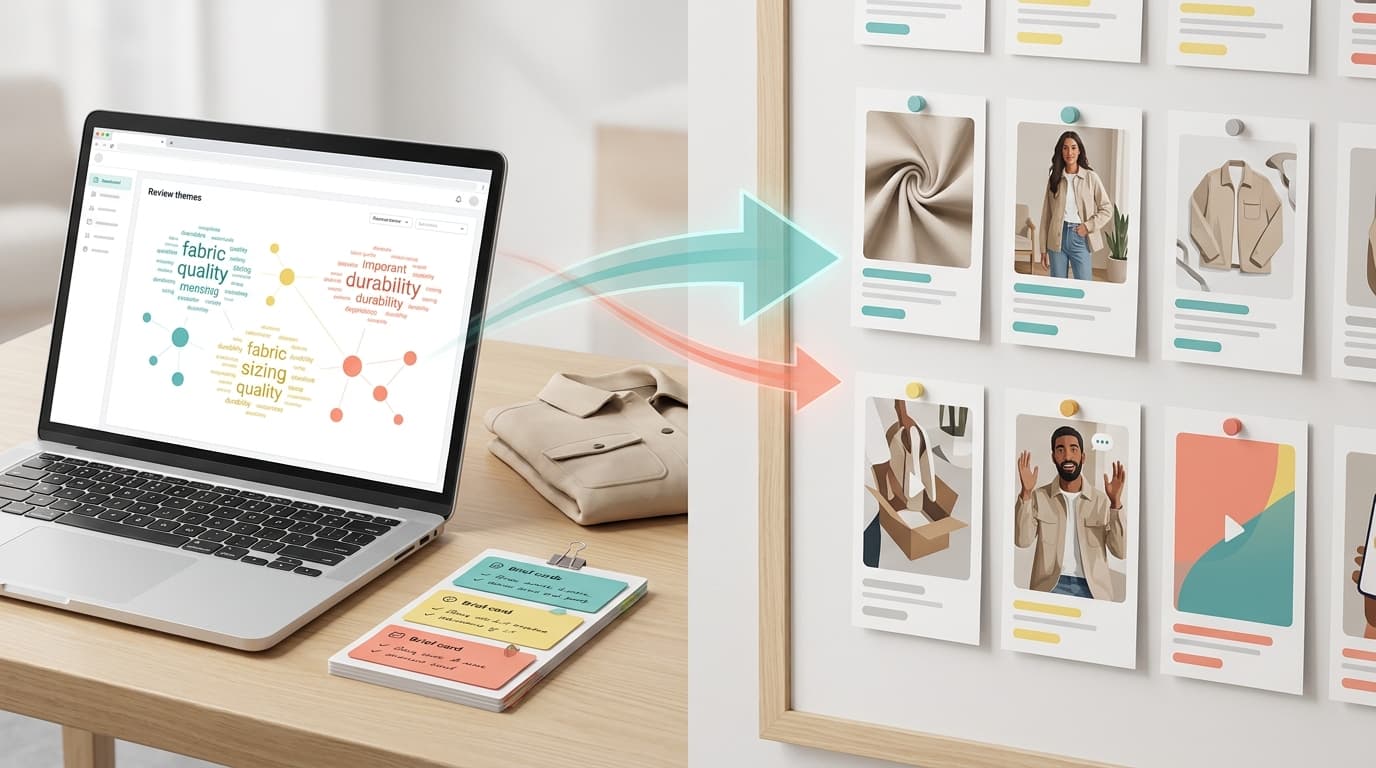
Most merchants can collect reviews, show star ratings, display photo reviews, and track store performance. The harder work starts after the reviews arrive: deciding which complaint changes a product page, which praise belongs in merchandising, which defect goes to operations, which question becomes a support macro, and which pattern is too weak to act on yet.
That is where Shopify review analytics needs to become more practical. Shopify analytics and reporting can show sales, conversion, sessions, reports, dashboards, and commerce performance. The Shopify App Store product reviews category still frames review apps around collection, ratings, social proof, and storefront display first. Your team still needs a repeatable way to turn review language into named decisions.
Use this guide to build that workflow without turning every review export into another spreadsheet project.
What the current source stack covers
Use the current stack as a reality check before you design a workflow.
| Source | What it covers now | Why it matters |
|---|---|---|
| Shopify analytics and reporting | Store data, real-time reporting, dashboards, reports, and integrations | Keeps review work tied to store metrics instead of isolated summaries |
| Shopify product reviews category | Product review apps for ratings, customer reviews, UGC, request flows, and social trust | Shows that many native review tools still start with collection and display |
| Judge.me | Product reviews, star ratings, testimonials, review requests, storefront display, social sharing, and Google Shopping surfaces | Useful when the team mainly needs more review volume and social proof |
| Loox | Visual product reviews, referrals, social proof, upsells, and AI-supported review presentation | Useful when photo/video proof and review presentation matter most |
| Yotpo, Stamped, and Okendo | Review collection, display, ratings, UGC, loyalty, referrals, quizzes, surveys, and related customer-marketing workflows | Useful context when comparing collection/display depth against analysis depth |
| VOC.AI Voice of Customer Analysis | Review-to-decision workflows, buyer language, market-ready decisions, and ecommerce review analytics context | Useful when review language has to become an owned decision |
| VOC.AI Review Analysis API | Programmatic review, keyword, sales, and listing data through API and MCP surfaces | Useful when teams need repeatable review data inside internal dashboards, agents, and reports |
The practical takeaway: Shopify review analytics should not replace your review app or Shopify reporting. It should connect those sources to the decisions the team can actually ship.
Shopify review analytics has three jobs
Start by separating the three jobs that often get bundled together.
| Job | Main question | Common owner | Good output |
|---|---|---|---|
| Review collection | Are we getting enough credible reviews? | Ecommerce marketing | Review request flows, star ratings, photo and video reviews, Q&A, widgets |
| Review reporting | What is happening in the store? | Ecommerce, analytics, growth | Sales, conversion, sessions, campaign, product, and customer reports |
| Review analytics | What should we change because customers keep saying this? | Growth, CX, product, merchandising, operations | Evidence-backed themes, cohorts, action owners, follow-up metrics |
Shopify review apps can be excellent at collection and display. Shopify analytics can be excellent at store reporting. Shopify review analytics is the operating layer between the two.
It should answer a more operational question:
Which review evidence should change our next page, product, support, merchandising, or retention decision?
If the output stops at "customers mention quality," the workflow is not ready. If the output says "recent three-star reviews for the spring variant mention zipper snagging; operations should inspect the supplier batch, support should tag new zipper tickets, and growth should recheck low-star review mix in two weeks," the team can act.
Build the review signal map first
Before you compare tools or rebuild dashboards, map the signals your team already has.
| Signal source | What it can tell you | What it cannot prove alone |
|---|---|---|
| Shopify product reviews | Buyer language, objections, praise, defects, missing expectations, product-level friction | Whether non-buyers had the same objection |
| Review app analytics | Collection rate, display performance, review volume, star-rating distribution, UGC use | Which theme should become an owned action |
| Shopify analytics and reporting | Sales, conversion rate, sessions, campaign performance, product trends, reports | Why a review theme is happening |
| Support tickets and chat | Recurring confusion, defect reports, refund reasons, pre-purchase hesitation | Whether the issue affects silent buyers |
| Returns and refund notes | Product fit, damage, expectation gaps, operational breakdowns | Whether copy, product, fulfillment, or support is the root cause |
| Amazon or marketplace reviews | Competitor expectations, category language, external product gaps | How the issue behaves inside your Shopify storefront |
The goal is not to merge everything into one perfect data warehouse on day one. The goal is to keep the review evidence close enough to the decision that a team can inspect the source, act, and measure what changed.
The weekly Shopify review analytics workflow
Use a weekly operating loop. Keep it small enough that the team can run it every week.
| Step | Timebox | Output | Owner |
|---|---|---|---|
| 1. Pick the decision lane | 10 minutes | One lane: product page, support, merchandising, product fix, retention, or competitor response | Growth or ecommerce lead |
| 2. Lock the cohort | 10 minutes | Product, variant, rating range, date range, market, source, and customer type | Analyst or operator |
| 3. Extract themes | 20 minutes | Three to seven themes with source examples | Analyst, VOC owner, or review intelligence tool |
| 4. Inspect evidence | 20 minutes | Source reviews, counterexamples, dates, products, and quote snippets | Lane owner |
| 5. Route the action | 15 minutes | Action card with owner, change, expected signal, and follow-up date | Team lead |
| 6. Ship one change | Same week | Page edit, support macro, product issue, merchandising test, or retention experiment | Functional owner |
| 7. Measure the result | Next review cycle | Before and after signal check | Growth, CX, or analytics |
This loop keeps Shopify review analytics tied to work the business can actually ship. If the team cannot name the lane, owner, and next metric, the insight is not ready.
Use a decision packet, not a summary
AI summaries are useful for speed, but a team should not act from a polished summary alone. The better output is a short decision packet.
Use this template:
| Field | What to write |
|---|---|
| Decision lane | Product page, support, merchandising, product fix, retention, or competitor response |
| Cohort | Product, variant, date range, rating range, market, source, and customer segment |
| Finding | One sentence about what customers are saying |
| Evidence | Three to five source reviews or quote snippets |
| Counterevidence | Reviews that weaken, narrow, or contradict the finding |
| Business risk | Conversion friction, return risk, support load, repeat-purchase risk, product defect, or competitive gap |
| Recommended action | The smallest change worth shipping |
| Owner | Person or team that can ship the change |
| Follow-up metric | Review theme volume, star-rating mix, support volume, conversion rate, return reason, repeat purchase, or refund reason |
| Review date | When the team will check whether the signal changed |
This is the difference between "customers mention sizing" and "three-star reviews for the spring variant say the medium runs short in the torso; product page size guidance and support macros need a fit note; check return reasons and new review language in two weeks."
Route findings by owner
A recurring mistake is sending every review insight to marketing. Shopify review analytics touches marketing, but many review patterns belong somewhere else.
| Review pattern | Likely owner | Good first action | Bad first action |
|---|---|---|---|
| Buyers ask the same pre-purchase question | Product page or CRO | Add proof, FAQ copy, comparison copy, or visual detail | Hide the objection under generic benefit copy |
| Happy buyers use a phrase the site does not use | Merchandising or lifecycle marketing | Reuse the phrase in collection pages, bundles, emails, or ads | Rewrite all messaging from one quote |
| Low-star reviews name a defect | Product or operations | Confirm cohort, check returns, open issue, and monitor new reviews | Treat it as a copywriting problem |
| Customers confuse delivery timing | Support or operations | Update confirmation email, tracking language, and support macro | Add more product-page copy only |
| Competitor reviews praise a feature you lack | Product or strategy | Decide whether to explain, match, ignore, or reposition | Copy the competitor claim without evidence |
| Reviews ask for refills, bundles, or accessories | Merchandising or retention | Test bundle placement, post-purchase offer, or reorder path | Assume demand is large enough for a full launch |
The owner matrix matters because review analytics should reduce handoff friction. If every theme lands in a shared document with no owner, the process becomes research theater.
Connect review themes to Shopify metrics
Review evidence explains why customers behave a certain way. Shopify analytics and reporting help you check whether the behavior changes after the team acts.
Do not expect one review theme to explain every metric. Instead, connect each action to one or two practical signals.
| Action | Review signal to watch | Store or operations signal to watch |
|---|---|---|
| Product page FAQ update | Fewer new reviews mentioning confusion | Product page conversion, support questions, chat volume |
| Size guide improvement | Fewer fit complaints in new reviews | Returns by reason, exchange requests, size-related tickets |
| Packaging fix | Lower volume of damage complaints | Refund reasons, replacement requests, low-star review mix |
| UGC placement change | More reviews mentioning proof or confidence | Conversion rate, add-to-cart rate, product-page engagement |
| Support macro update | Fewer repeated confusion phrases | First-response resolution, ticket reopen rate, support volume |
| Bundle or refill test | More reviews mentioning repeat use | Repeat purchase, attach rate, post-purchase email performance |
This keeps Shopify review analytics honest. If the team ships a change and the follow-up signal does not move, you learned something useful: the finding was weak, the action was wrong, the cohort was too broad, or the measurement window was too short.
What a Shopify review analytics dashboard should include
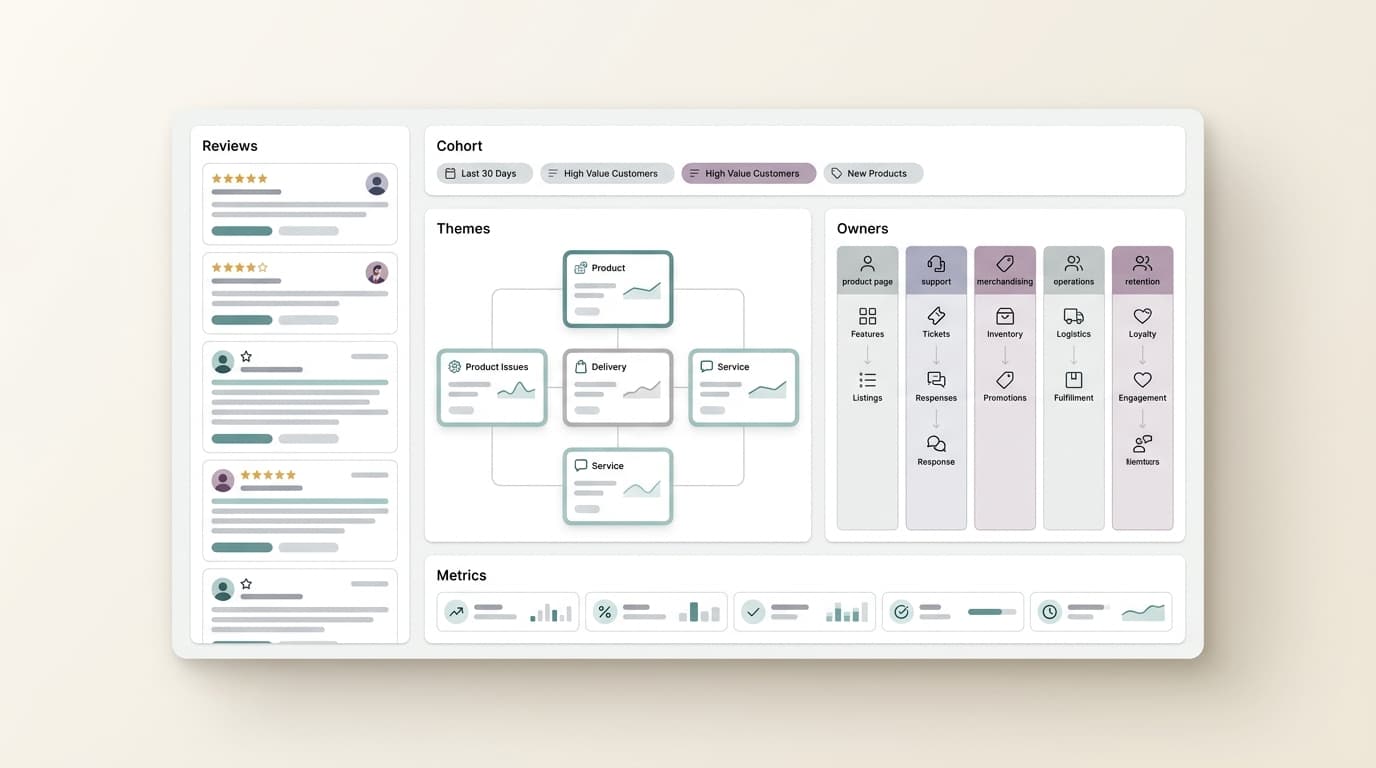
A dashboard is useful only when it protects the workflow from vague conclusions. A practical Shopify review analytics dashboard should include the fields a team needs before it changes the store.
| Dashboard field | Why it matters | Decision risk if missing |
|---|---|---|
| Locked cohort | Product, variant, rating range, source, market, and time period | The team acts on a blended average |
| Theme with source evidence | Shows the actual review language behind the summary | The team trusts a claim it cannot inspect |
| Counterevidence | Shows reviews that weaken or narrow the theme | The team overreacts to the loudest pattern |
| Owner lane | Routes the theme to product page, support, merchandising, operations, retention, or product | The insight sits in a shared doc |
| Shipped action | Records what changed because of the finding | The team cannot tell whether analysis created work |
| Follow-up signal | Defines what should move next | The team cannot judge whether the action helped |
If your current review app already gives you this level of workflow control, use it. If it mostly gives you ratings, widgets, requests, and summary dashboards, add a lightweight decision packet before you buy another platform.
Run the same-cohort test before you buy another tool
Before you buy a new review analytics tool, run one same-cohort test across your current stack and any finalist.
Use one product, one date range, and one decision lane. Ask each workflow to produce the same packet:
- Top review themes for the locked cohort.
- Source reviews behind each theme.
- Counterevidence that weakens or narrows the theme.
- Suggested owner and smallest next action.
- Export or API path for repeating the workflow.
- Time needed to clean the output before the team can use it.
Score the output on evidence quality, not dashboard polish.
| Test area | Pass | Fail |
|---|---|---|
| Cohort control | The tool can preserve the exact product, variant, date, rating, and source scope | The tool blends reviews into one broad summary |
| Evidence traceability | Every theme links back to source reviews | The tool gives claims without examples |
| Theme specificity | Themes are narrow enough to route to an owner | Themes stay broad, such as quality, shipping, or service |
| Counterevidence | The workflow shows where the theme does not apply | The workflow only confirms the strongest pattern |
| Handoff | Output names owner, action, and follow-up signal | Output stops at an insight summary |
| Repeatability | The team can rerun the workflow next week | The answer depends on manual cleanup and screenshots |
This test is especially useful because many Shopify review apps are excellent at collection and display. The same-cohort test shows whether they are also enough for decision-grade Shopify review analytics.
When a review app is enough
A Shopify-native review app may be enough when the business mainly needs to:
- Collect more reviews after purchase.
- Display star ratings and review widgets on product pages.
- Collect photo or video reviews.
- Improve social proof.
- Request reviews by email, SMS, or other supported post-purchase flows.
- Import or syndicate reviews across storefront and marketing surfaces.
- Connect reviews with loyalty, referrals, quizzes, surveys, or UGC campaigns.
If your team is still building review volume, prioritize collection quality and display fit first. Deeper analysis will not help much if the review base is thin.
When you need a review intelligence layer
Add a review intelligence layer when the work expands beyond collection and display.
You likely need one when:
- Product, CX, growth, and operations all ask different questions from the same reviews.
- The team needs to compare Shopify feedback with Amazon, marketplace, social, or competitor reviews.
- You need evidence traceability for product or operational decisions.
- Review themes need to flow into dashboards, docs, agents, tickets, or internal reports.
- The same analysis has to run every week or month.
- A review summary is not enough because leaders ask, "Which reviews prove this?"
This is where VOC.AI can fit into the workflow. VOC.AI's Voice of Customer Analysis page positions the product around turning customer reviews into product direction, buyer language, and market-ready decisions. The Review Analysis API is relevant when engineering teams need review, keyword, sales, and listing data inside their own workflows, agents, or dashboards.
For Shopify review analytics, that means VOC.AI is most useful when Shopify reviews need to connect with broader ecommerce review intelligence: Amazon reviews, competitor context, product research, market gaps, listing language, support actions, and repeatable API workflows.
The existing Shopify review analytics tools evaluation framework can help compare tool categories. This practical guide is the operating model for what the team does after the tool is in place. The Shopify review analytics comparison page is the buyer-shortlist companion, and the Shopify review analytics metrics guide is the measurement companion.
A 30-day rollout plan
Do not roll out Shopify review analytics as a large transformation project. Run a focused 30-day loop.
| Week | Work | Output |
|---|---|---|
| Week 1 | Pick one product line and one decision lane | Cohort definition and owner list |
| Week 2 | Run the decision packet template on recent reviews | Three action cards with source evidence |
| Week 3 | Ship one small change | Page update, support macro, merchandising test, or product issue |
| Week 4 | Check follow-up signals | Signal movement, unresolved questions, next cohort |
After 30 days, decide whether the workflow deserves more investment.
Use these rules:
- If the team shipped nothing, simplify the packet and narrow the decision lane.
- If the team shipped but could not measure, pick cleaner follow-up signals.
- If the same finding appears across Shopify, Amazon, and competitor reviews, escalate it.
- If every finding requires manual cleanup, evaluate export, API, or review intelligence options.
- If the workflow creates decisions every week, make it a recurring operating cadence.
FAQ
What is Shopify review analytics?
Shopify review analytics is the workflow for turning Shopify product reviews, review-app data, and related customer feedback into decisions about product pages, support, merchandising, product fixes, retention, and growth experiments.
Is Shopify review analytics the same as Shopify analytics?
No. Shopify analytics focuses on store performance, reporting, and commerce metrics. Shopify review analytics focuses on review evidence: what customers say, which cohort said it, which owner should act, and what signal should change afterward.
Is a Shopify review app enough for review analytics?
Sometimes. A review app may be enough when the team mainly needs review collection, widgets, UGC, review requests, and social proof. A separate review intelligence workflow becomes useful when teams need source evidence, cohort comparisons, cross-channel review context, exports, APIs, and decision handoffs.
What should a Shopify review analytics dashboard include?
A useful dashboard should include review volume, star-rating mix, cohort filters, themes with source examples, counterevidence, owner lanes, shipped actions, and follow-up signals. If it only shows review count and average rating, it is a review reporting dashboard, not a complete decision workflow.
How often should teams review Shopify review analytics?
Most teams should start weekly. A weekly loop is frequent enough to catch new review patterns, but small enough to keep the workflow practical. High-volume stores can add daily monitoring for defect, fulfillment, or support-risk themes.
Conclusion
Shopify review analytics is valuable when it changes what the team does next.
Start with one product, one cohort, and one decision lane. Build a packet with evidence, counterevidence, owner, action, and follow-up metric. Then ship one small change and check whether the signal moved.
That is the practical test. If your Shopify review analytics workflow can turn review language into a decision the team can defend, it is doing its job.