Updated September 9, 2026.
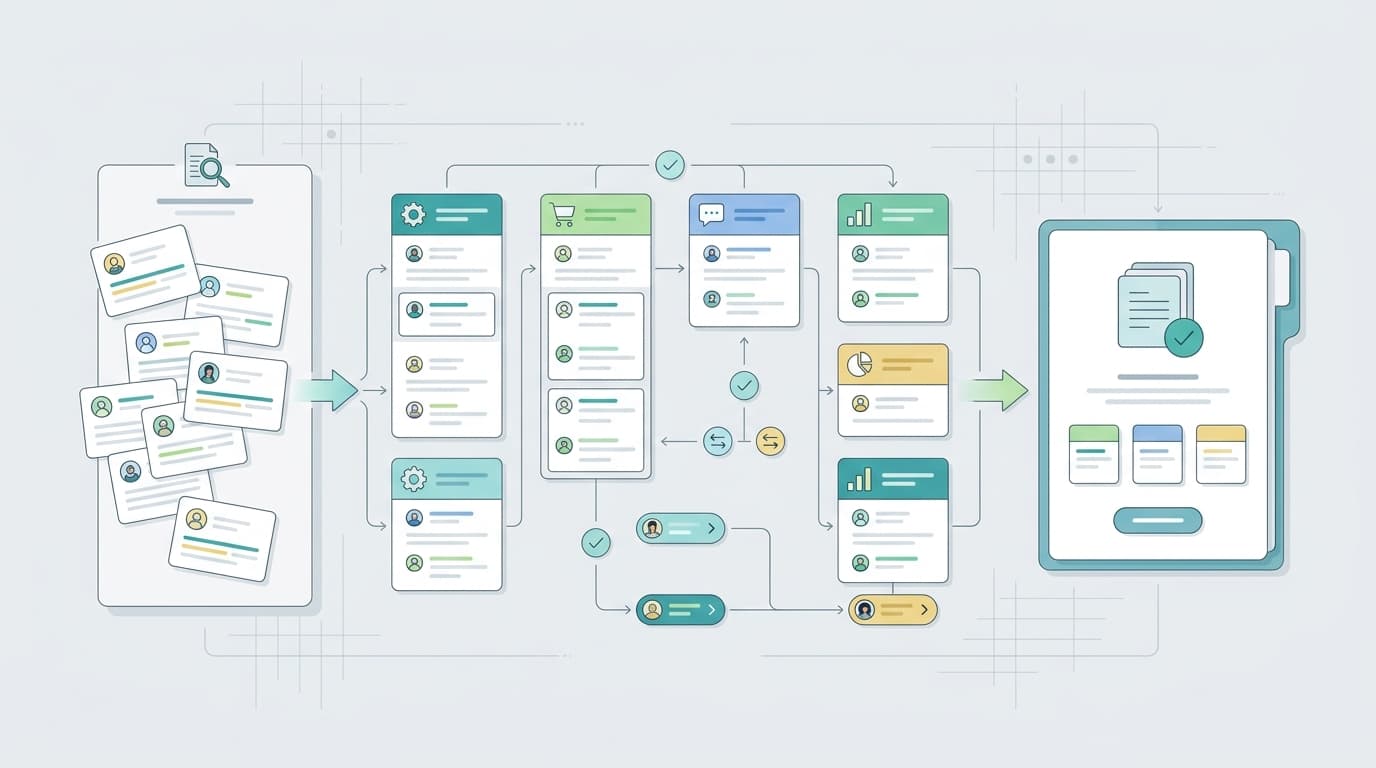
An Amazon review analyzer is useful only when it changes what your team does next. If the output is just a faster summary of complaints, it will get read once, copied into a slide, and forgotten. The stronger workflow turns review language into a small decision packet: what was analyzed, what customers repeated, what evidence supports it, what might contradict it, who owns the next step, and when to check again.
That matters in 2026 because review data is no longer scarce. The scarce part is a workflow that product, listing, support, and growth teams can trust under time pressure. A decision-grade Amazon review analyzer should help a team move from raw reviews to a specific action without hiding the source evidence.
Use this guide when you are analyzing Amazon reviews for product research, listing changes, competitor analysis, support planning, or recurring review monitoring. If you are still choosing between tools, start with the Amazon review analysis tool buyer scorecard. If you already have one cohort and need a faster execution checklist, use the Amazon review analyzer checklist for faster decisions. This page focuses on the full operating workflow.
Start with the decision, not the dataset
Before you open an Amazon review analyzer, write the decision sentence:
We need to decide whether [owner] should [action] for [product, competitor set, marketplace, and time period] based on [review cohort].
Examples:
- Product: We need to decide whether the next version should change the lid seal based on US one- and two-star reviews from the last 90 days.
- Listing: We need to decide whether the product detail page should explain sizing more clearly based on recent three-star reviews.
- Competitor: We need to decide which competitor complaint is credible enough to shape our next product brief.
- Support: We need to decide whether a recurring setup issue needs a new macro, insert, or troubleshooting flow.
- Monitoring: We need to decide whether a complaint is accelerating after a launch, supplier change, or listing update.
The sentence keeps the analysis from drifting into generic sentiment. It also tells you which evidence matters. If the decision is a listing rewrite, buyer language and objection patterns matter. If the decision is a product fix, severity, recency, variant, and repeatability matter. If the decision is competitor research, like-for-like cohorts matter.
Lock the review cohort before analysis
Most bad review analysis starts with a mixed cohort. The Amazon review analyzer may be accurate at summarizing the text it received, but the answer will still be weak if the input blends old versions, unrelated variants, different markets, or first-party and competitor products without labels.
Define the cohort before you run the tool:
| Cohort field | What to specify | Why it matters |
|---|---|---|
| Product scope | One ASIN, parent/child group, bundle, model, or competitor set | Prevents product conclusions from blending together |
| Marketplace | US, UK, DE, JP, or another specific market | Keeps language, expectations, pricing, and fulfillment context separate |
| Time window | Last 30 days, last 90 days, launch period, or pre/post change | Separates current issues from stale history |
| Rating band | All reviews, one- and two-star complaints, three-star expectation gaps, or four- and five-star praise | Changes the type of signal you are looking for |
| Variation | Size, color, material, model, bundle, or version | Catches variant-specific problems |
| Competitor labels | Named competitor products and matching filters | Keeps comparison evidence inspectable |
Amazon's Product Opportunity Explorer describes customer reviews, return activity, search behavior, purchase behavior, and pricing trends as inputs that can help sellers understand customer needs and market gaps. It also frames the tool as a guide, not a substitute for independent judgment. Treat an Amazon review analyzer the same way: useful evidence for a decision, not an automatic decision maker.
Use the 7-step Amazon review analyzer workflow
The best workflow is simple enough to repeat and specific enough to audit.
| Step | What to do | Output to save |
|---|---|---|
| 1. Name the decision | Write one sentence that states the owner, action, scope, and deadline | Decision sentence |
| 2. Lock the cohort | Define product, marketplace, time, rating, variation, and competitor filters | Cohort definition |
| 3. Extract themes | Group repeated needs, complaints, praise, objections, and use cases | Theme list |
| 4. Preserve evidence | Save representative phrases, rating, date, product, and context | Evidence table |
| 5. Check contradictions | Look for reviews that weaken, split, or limit the main theme | Contradiction note |
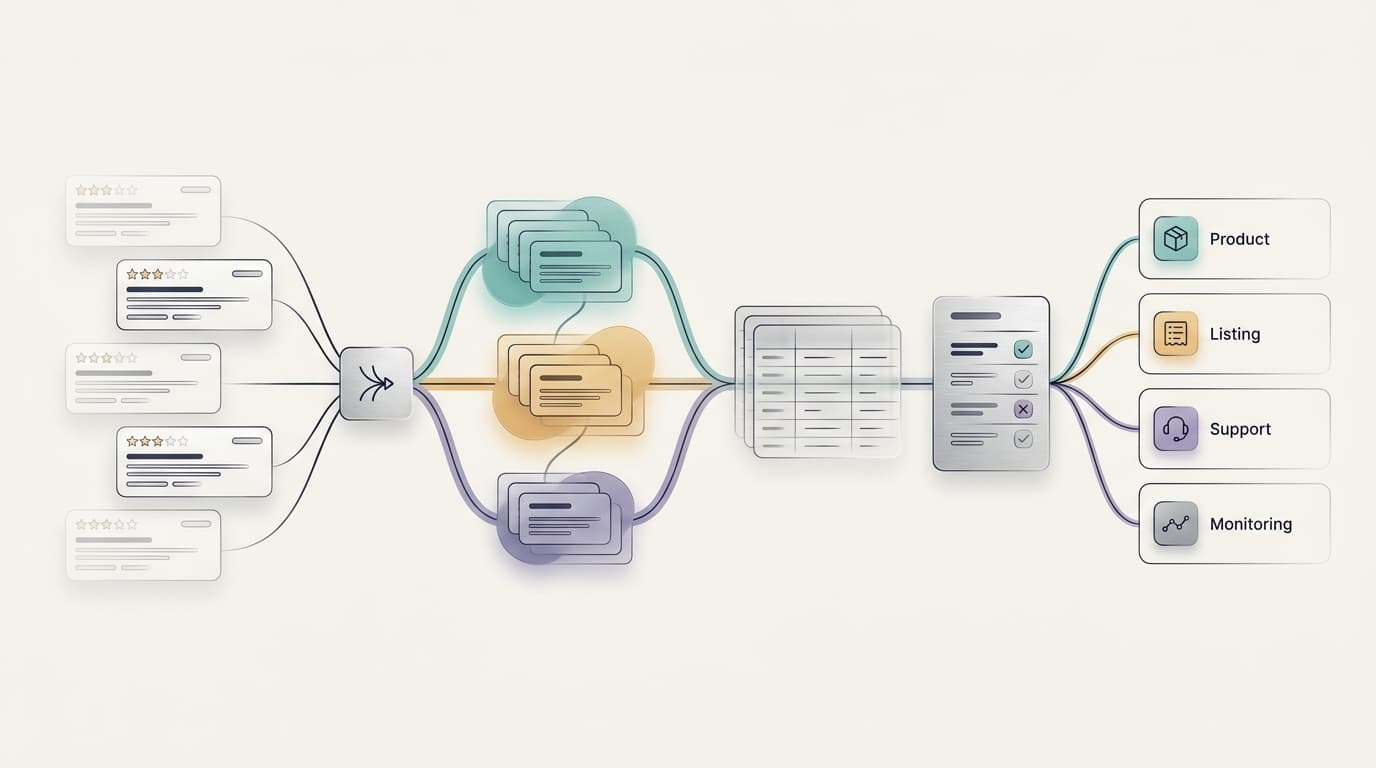
| 6. Route ownership | Assign each theme to product, listing, support, operations, research, or monitoring | Owner/action map |
| 7. Set cadence | Decide whether the issue needs one-time action, weekly monitoring, or API automation | Follow-up rule |
If an Amazon review analyzer cannot support those outputs, it may still be a helpful review summarizer. It is not yet a decision-grade workflow.
Extract themes that are specific enough to act on
Generic sentiment labels rarely change a roadmap or listing. The theme label should tell the owner what kind of work might be needed.
Weak theme labels:
- Quality issue
- Negative packaging sentiment
- Confusing setup
- Bad value
- Customers like design
Decision-grade theme labels:
- Outer box arrives intact, but inner pump leaks during shipping
- First-time buyers cannot pair the device because the printed reset step is missing
- Three-star reviews say the product works, but the sizing chart sets the wrong expectation
- Customers praise the travel case, but complain that replacement parts are hard to identify
- Competitor buyers like the battery life, but complain about the charging cable durability
An Amazon review analyzer should separate at least seven signal types:
| Signal type | What to look for |
|---|---|
| Pain points | What blocked the buyer's desired outcome |
| Needs | What the buyer was trying to accomplish |
| Expectations | What the buyer assumed before purchase |
| Use cases | The situation where the product succeeded or failed |
| Objections | What made the buyer hesitate, regret, return, or switch |
| Praise | What buyers value enough to repeat |
| Competitor gaps | Where alternatives fail or outperform |
The goal is not to create more themes. The goal is to create themes that a decision owner can inspect and use.
Preserve an evidence table
Every important theme should have a compact evidence table. This is the part that keeps an Amazon review analyzer from becoming a black-box summary.
| Field | What to capture |
|---|---|
| Theme | The reusable label for the issue, motivation, objection, or praise |
| Representative review phrase | The customer language the team can inspect |
| Product or competitor | ASIN, product group, or competitor label |
| Rating | The review rating connected to the evidence |
| Date | Whether the evidence is recent, stale, or tied to a launch/change |
| Variation/context | Size, color, model, bundle, use case, or market |
| Frequency | How often the theme appears in the chosen cohort |
| Severity | Whether it is preference, friction, defect, return risk, or escalation risk |
| Contradiction | Evidence that complicates the conclusion |
| Suggested owner | Product, listing, support, operations, research, or monitoring |
This table changes the conversation from "AI says customers dislike setup" to "recent two-star reviews for the new bundle mention missing setup steps, while five-star reviews praise the same feature once setup succeeds."
That difference matters. The second version can become a product task, a listing clarification, a support macro, or a monitoring rule. The first version is only a summary.
Check contradictions before routing action
Good review analysis keeps conflicting evidence visible. Before you act on a theme, ask:
- Which reviews support this theme?
- Which reviews disagree with it?
- Is the issue tied to one variant, marketplace, date range, or rating band?
- Is the praise describing the same feature from a different use case?
- Would the recommended action still make sense if the contradiction is true?
Contradictions are not a nuisance. They are where segmentation often appears. Some buyers may say a product is too small while others praise the compact size. New users may call setup confusing while repeat buyers call it simple. A one-star durability complaint may coexist with five-star praise from lighter-use buyers.
The Amazon review analyzer should not average those differences into a smooth sentence. It should show the split clearly enough for the owner to choose a scoped action.
Route each theme to the right owner
An insight with no owner becomes trivia. Route every repeated theme.
| Review theme | Usual owner | First action |
|---|---|---|
| Product defect or durability issue | Product or operations | Validate against recent reviews, returns, QA notes, and batch context |
| Feature request | Product | Decide whether it is a roadmap input, positioning issue, or unsupported edge case |
| Listing confusion | Growth or content | Rewrite bullets, images, comparison chart, sizing content, or FAQ |
| Packaging or fulfillment complaint | Operations or CX | Check fulfillment pattern, packaging evidence, and recent batches |
| Support confusion | CX or support ops | Update macros, troubleshooting, help content, or post-purchase education |
| Competitor advantage | Product marketing or research | Build a side-by-side gap brief |
| New recurring complaint | Monitoring owner | Add a watchlist rule and review cadence |
This is where a practical Amazon review analyzer creates operating value. The tool is not the endpoint. The endpoint is a named owner with evidence and a next step.
Choose the right cadence
Not every review problem needs the same operating model.
| Need | Best workflow | Output |
|---|---|---|
| One product decision this week | One-time Amazon review analyzer run | Decision packet |
| Recent listing change or launch | Weekly monitoring | Change watchlist |
| Many ASINs, markets, or internal reports | API workflow | Structured recurring report |
| Cross-functional product, CX, and growth learning | Shared voice-of-customer workflow | Evidence library and owner map |
Use a manual interface when the team needs to inspect the evidence together. Use an API when the workflow needs to repeat across many products, markets, dashboards, agents, or internal systems.
VOC.AI's Voice of Customer Analysis page describes review analysis around clustering feedback by pain point, expectation, and feature mention, then turning recurring complaints into product priorities and listing changes. For teams that need automation, the Review Analysis API gives engineering teams REST API, Python SDK, and MCP-supported access to review, keyword, listing, and sales-estimate signals.
A 30-minute Amazon review analyzer run
Use this sequence for a fast first pass:
| Minute | Action | Output |
|---|---|---|
| 0-3 | Write the decision sentence | One decision, one owner, one deadline |
| 3-6 | Lock ASINs, marketplace, time range, rating band, and variation scope | Cohort definition |
| 6-14 | Run the Amazon review analyzer and extract top repeated themes | Theme list |
| 14-20 | Open evidence behind the top three themes | Evidence table |
| 20-24 | Find at least one contradiction or limiting context for each theme | Contradiction note |
| 24-27 | Route themes to product, listing, support, operations, research, or monitoring | Owner/action map |
| 27-30 | Save the packet and name the next review date | Decision packet |
Save the result in this format:
Decision:
Cohort:
Top theme:
Representative review phrase:
Frequency/severity:
Contradiction:
Owner:
Next action:
Review again on:
That packet is intentionally small. If the team needs more detail, link to the evidence table instead of turning the decision packet into another long report.
Quality gates before using the output
Run these checks before you turn Amazon review analyzer output into roadmap work, listing copy, or support changes.
| Gate | Pass condition | Why it matters |
|---|---|---|
| Cohort match | The review set matches the decision scope | Avoids acting on the wrong product, market, or time period |
| Evidence traceability | Top claims link back to inspectable source reviews or export rows | Keeps the output defensible |
| Theme specificity | Theme labels describe concrete buyer language and conditions | Makes action possible |
| Contradiction check | Major themes include counterevidence or segment limits | Prevents overreaction |
| Owner handoff | Each accepted theme has an owner and first action | Turns analysis into work |
| Policy review | Public claims and review-use workflows get appropriate human review | Reduces platform, legal, and brand risk |
| Measurement | The team knows what will be checked later | Prevents one-off reports from disappearing |
The policy review gate is especially important when customer language might influence public claims, review requests, advertising, or seller communications. Use review analysis to improve products, listings, and support. Do not use it to manipulate review behavior.
Common mistakes to avoid
Mixing old and new product versions
If older and newer versions are blended, the Amazon review analyzer may surface a problem that has already been fixed or hide a new issue tied to the current product.
Treating star rating as the insight
Star rating is a signal. The insight is the repeated reason behind the rating, the cohort where it appears, and the action it suggests.
Copying customer language into public claims without review
Buyer language is useful for understanding expectations and objections. It still needs product, legal, compliance, and marketplace review before it becomes listing copy, ad copy, or seller communication.
Ignoring contradiction evidence
The most useful output often shows where customers disagree. If the tool hides disagreement, the team may make a broad change for a narrow segment.
Ending with a dashboard instead of an owner
A dashboard is not a handoff. A useful Amazon review analyzer should produce an owner, next action, and follow-up cadence for every accepted theme.
Where VOC.AI fits
Use VOC.AI when the review-analysis workflow needs to keep the path from customer language to action visible:
- Cluster Amazon reviews by pain point, expectation, and feature mention.
- Turn recurring complaints into product priorities and listing changes.
- Preserve buyer language for product, content, support, and research workflows.
- Use the same review intelligence across dashboards, the agent, and API-supported workflows.
- Connect review, keyword, listing, and sales-estimate signals when engineering teams need repeatable reporting or agent workflows.
For a commercial evaluation path, compare requirements with What to Look for in a Customer Review Analysis Tool. For product research, use Amazon product research from customer reviews. For teams building repeatable systems, review the Review Analysis API and the current VOC.AI pricing page.
FAQ
What is an Amazon review analyzer?
An Amazon review analyzer is a workflow or tool that organizes Amazon review text into themes, buyer language, evidence, contradictions, and next actions. The useful version goes beyond summarizing pros and cons.
How do I use an Amazon review analyzer in 2026?
Start with one decision, lock the review cohort, extract specific themes, preserve representative evidence, check contradictions, assign an owner, and decide whether the theme needs one-time action, monitoring, or an API workflow.
Is an Amazon review analyzer different from a review summarizer?
Yes. A review summarizer condenses text. An Amazon review analyzer should help a team decide what to change, monitor, compare, or validate next.
Can Amazon reviews be used for product research?
Yes, when they are treated as directional customer evidence. Compare like with like, preserve source context, and validate important decisions with other data such as returns, support tickets, product tests, or marketplace performance.
When should I use an API instead of a manual dashboard?
Use an API when analysis needs to run repeatedly across many ASINs, markets, products, or internal systems. A manual dashboard is better for one-off investigation and team review.
What should an Amazon review analyzer output include?
At minimum, it should include a cohort definition, theme list, evidence table, contradiction note, owner/action map, and follow-up cadence.
Final takeaway
An Amazon review analyzer should compress review volume into a decision your team can inspect. The winning workflow is not "paste reviews, get summary." It is:
cohort -> theme -> evidence -> contradiction -> owner -> next action
Use that chain every time. It keeps the Amazon review analyzer grounded in customer language, honest about uncertainty, and connected to the work that improves products, listings, support, and monitoring.